Epoq Control Desk

With the e-commerce backend of your personalization software, you can monitor and control various KPIs

The e-commerce backend supports you with your shop-specific customizations

The e-commerce backend is the monitoring and control tool for your personalization software. It is accessible to you via a personal login area in your browser and offers valuable insights and configuration options for the services integrated into your online shop along the customer journey. All data collected from your online shop is displayed. This allows you to view various analyses and key figures that enable you to control the personalization of your online shop. You can configure the services specifically for your shop-specific requirements or individual campaigns and analyze their performance. This allows you to actively influence click, conversion, and sales rates, as well as identify new trends and potential. This is exactly what the Epoq Control Desk offers.

The most popular use cases for e-commerce backends

The Control Desk has a measurable effect on sales development

"Epoq's services give us completely new opportunities to offer our customers a unique shopping experience. Epoq's search and navigation functions enable our customers to find the right product quickly and easily and be inspired by recommendations in the online shop. The wide range of options in the Control Desk also allows us to set up themed worlds for various seasonal campaigns, for example, which have already had a measurable positive effect on sales development."

Janine Stub | E-commerce Manager | Porzellan Rüger GmbH & Co KG

The e-commerce backend includes these features

Keywords

The analysis section and keyword features offer everything you need to analyze the performance of your personalization software and make optimizations. You can monitor your measures and measure their success in a targeted manner.

Blacklisting

Blacklisting allows products, categories, or other attributes from the product catalog, such as brands or colors, to be added to blacklists. These are then not listed in the selected recommendation widgets.

Whitelisting

Whitelisting allows products, categories, or other attributes from the product catalog, such as brands or colors, to be added to whitelists. This ensures that they appear prominently in the selected recommendation widgets.

Combi Creator

Using Combi Creator, you can quickly add rules that allow you to recommend matching products and categories. Once added, these recommendations appear on the relevant product detail pages of the selected products and categories (contextual products and categories).

Theme Worlds

With Theme Worlds, you can define product groups using various attributes, such as red products for the upcoming fall collection. This allows you to display products in red for cross-selling recommendations or populate a themed newsletter, for example.

Epoq Control Desk

Monitoring and control of personalization

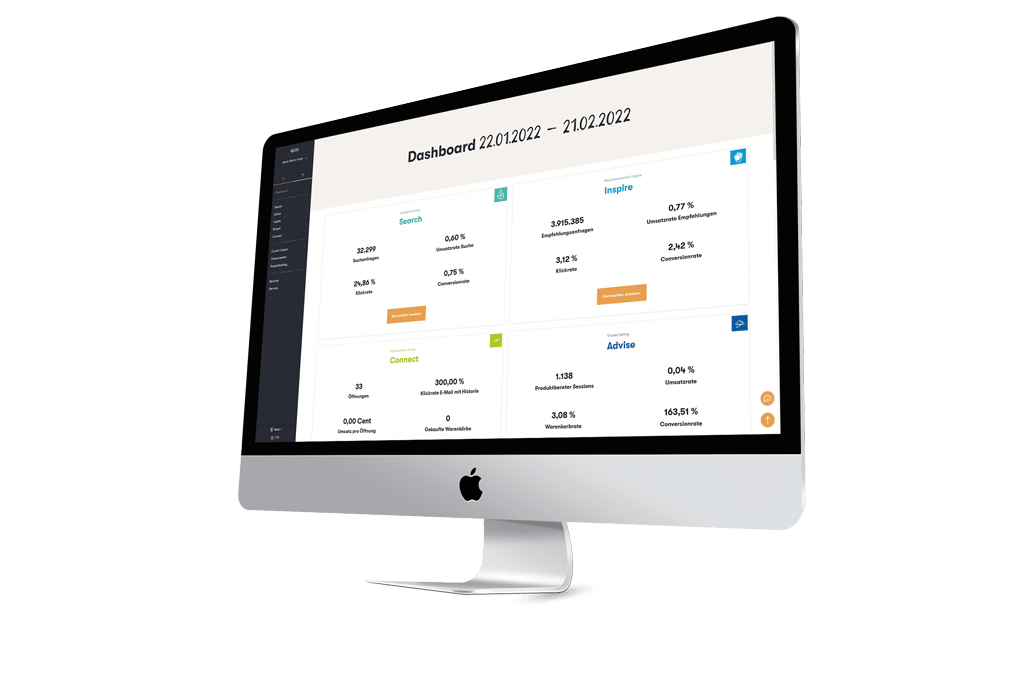
As soon as you start Control Desk, you will be taken to the dashboard. From there, you can navigate to various elements via the left-hand navigation bar to monitor and control your personalization software.

Dashboard

The dashboard provides all the important facts and figures at a glance. Here you will also find our latest blog articles about the Control Desk.

Account

Here you can enter your contact details and profile picture. You can also manage users, set up email reports, obtain information about the product catalog, and view the range of services available.

Configuration

The basic settings for your services can be accessed via the configuration. These are initially discussed with you and created in the basic setup.

Key Figures

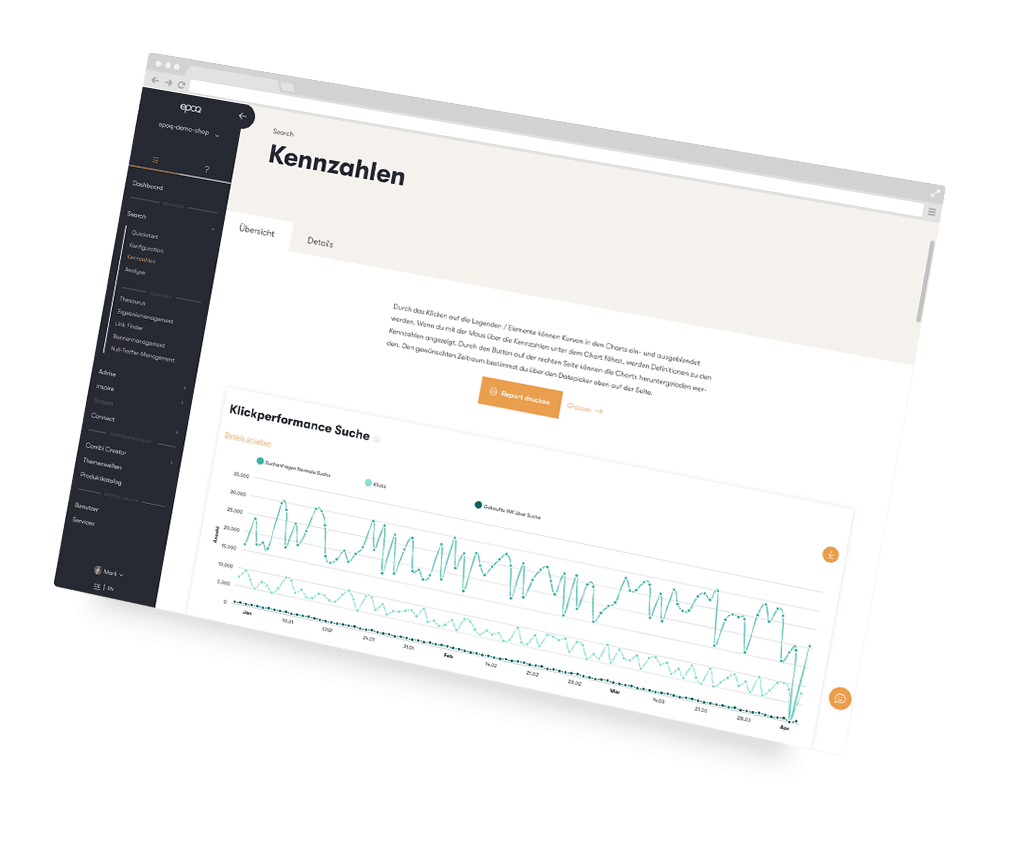
The key figures are available for quantitative analysis of the services you use. The data is visualized in charts and tables. For example, you can view the click and revenue rates for the various services.

Analysis

The analysis represents the qualitative evaluation of your services. You have the opportunity to draw conclusions from the performance, derive measures from them, and check their success. For example, you can display the most frequent search terms or the most popular recommendations.

Features

If you identify a need for action in the analysis area, you can implement the corresponding settings in the features, such as in the theme worlds or whitelisting.

The Rule Editor in our e-commerce backend

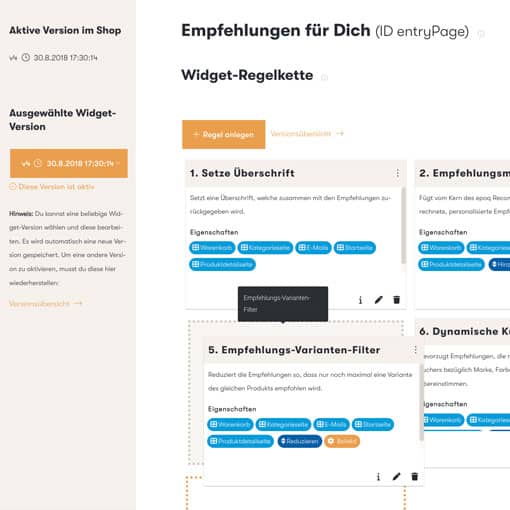
Our Rule Editor in our e-commerce backend is a powerful tool. It helps you view and configure shop-specific rules for recommendation widgets and email content. Clicking on the 'Edit' button takes you to the Rule Editor, where you can create rules, edit them using drag-and-drop, prioritize them, or delete them.

Would you like to learn more about monitoring and controlling personalization?

We would be happy to give you a deeper insight in a web demo!

The latest blog articles about Control Desk

The picture shows a person sitting on a couch at a small table, playing Scrabble.
Reduce Bounce Rate
How to semantically enrich search results using the thesaurus in Control Desk, and how AI can help you do this

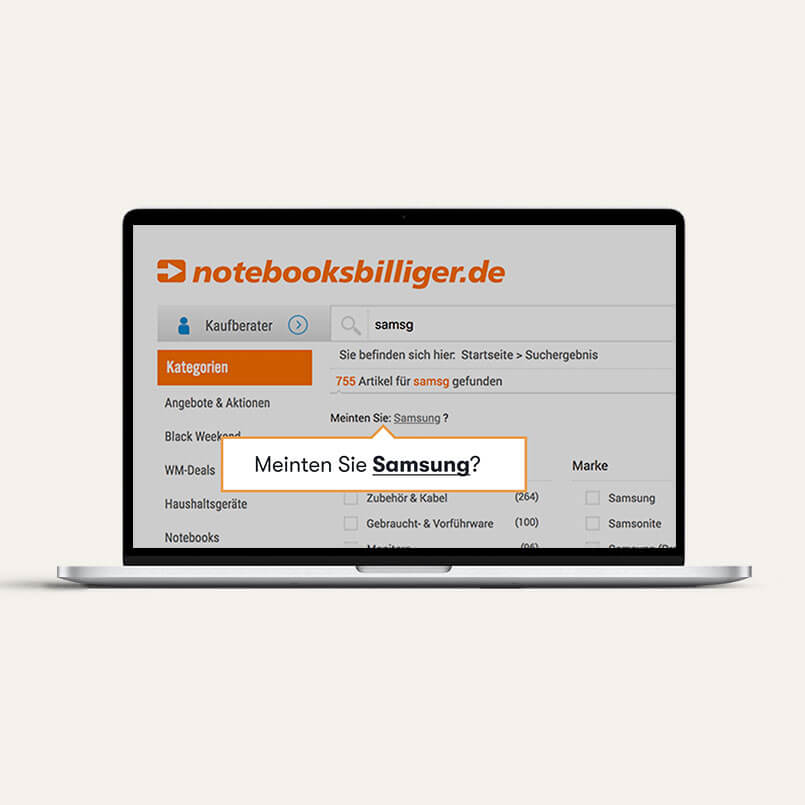
As an e-commerce professional, you strive to make it as easy as possible for your customers to find products in your online store. Your keywords are undoubtedly of particular importance in this regard. After all, search results that don’t match what customers are looking for—or a page with no results at all—are often caused by slight variations in search queries. With the help of the thesaurus in Control Desk, you can prevent this problem by semantically optimizing your keywords according to your specific needs. In this article, you’ll learn how this works and how AI can provide targeted support in this process.


Learn more
The image shows a person working in Epoq Control Desk.
Reduce Bounce Rate
Guide to Analyzing and Optimizing Your Smart Search in Control Desk – Now AI-Powered

Would you like to delve deeper into your search analytics to accurately interpret customer intent based on search queries and identify opportunities for optimization? The Search Analytics section in Control Desk offers a wide range of tools to closely examine search queries, identify trends, and boost your search performance through optimizations at the keyword and product levels. We’ll guide you through the Search Analytics section in Control Desk, provide you with valuable insights, and show you how AI can specifically support you in your analysis.

Learn more
The picture shows an office room with an advertising banner.
Reduce Bounce Rate
Banner management in the Control Desk for campaign promotion

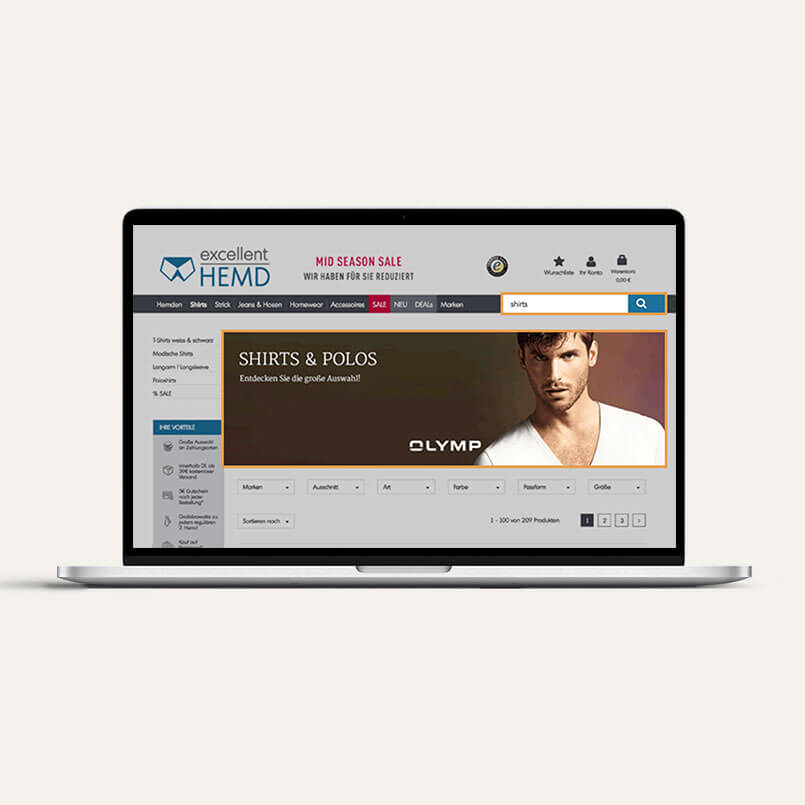
Banner management makes it possible to integrate graphics and content into the results page of specific product listings or search queries in the online shop. Once activated, these can appear in various positions, e.g., on the respective search results page, the results page of the corresponding product listing, or in the typeahead. But that's not all—there are various ways to attract the attention of online shoppers and use banners in different ways for marketing campaigns. You can find out more about the use of digital banners and how they work in the Control Desk in this blog article.

Learn more
The Link Finder in the Control Desk is visualized by a signpost in nature.
Reduce Bounce Rate

With Link Finder, you can redirect search terms to specific pages or highlight a link on the search results page. This is because your online shoppers are not only looking for products via the search function, but also for informative pages. That's why Link Finder lets you optimize the service for your online shoppers by redirecting them to service pages, campaign pages, or brand pages, or by drawing their attention to them. In this blog post, you'll learn about the options available when creating Link Finder and the use cases for which it is useful.

Learn more
The picture shows a clothing store with discount offers.
Control Desk
7 control desk tips for a high-revenue Black Friday in e-commerce

On Black Friday, online shop operators compete for online shoppers' purchases with the best offers and promotions. This is because both Black Friday and Cyber Monday are becoming increasingly relevant for e-commerce.¹ That's why you should start preparing your online shop in good time. Wondering what adjustments you can make? In this blog article, we give you seven tips for a high-revenue Black Friday that you can implement in no time via the Control Desk.

Learn more
The picture shows a clothes rail with suit jackets.
Reduce Bounce Rate
Results management: How you can now optimize result sets in Control Desk even more precisely

Would you like to optimize a specific set of results even more precisely by displaying certain products at the top or bottom? Would you like to exclude some products from the results? And ideally, would you like these options to be available for categories, brands, and colors as well? The new version of results management allows you to do just that and has a lot more in store for you besides the new design. What exactly? Find out in this blog article.

Learn more
01 / 8