
5.04% increase in sales per session thanks to new personalization strategy at Outletcity Metzingen
Outletcity Metzingen puts its personalization strategy to the test and increases revenue per session by 5.04%.

A recommendation widget highlights relevant recommendations and thus helps to increase the value of the shopping cart. This is because a recommendation widget provides the framework for relevant product or content recommendations. Recommendation widgets can vary in terms of layout and design. At the same time, they offer interesting features that allow you to respond to your online shoppers in an even more personalized way. In this article, we have summarized the different types of recommendation widgets available to you today.

Here's what you can expect to find in this blog article:
4 variants of a recommendation widget
Recommendation widget as a slider
Recommendation widget as a grid
Recommendation widget as a tile
Recommendation widget as a panel
Geo Targeting: The Special Function of a Recommendation Widget
Implementation of a recommendation widget
Conclusion: Recommendation Widget puts recommendations in the spotlight
A recommendation widget can be displayed in different variants: slider, grid, tile, and panel. A recommendation widget can contain several relevant recommendations.
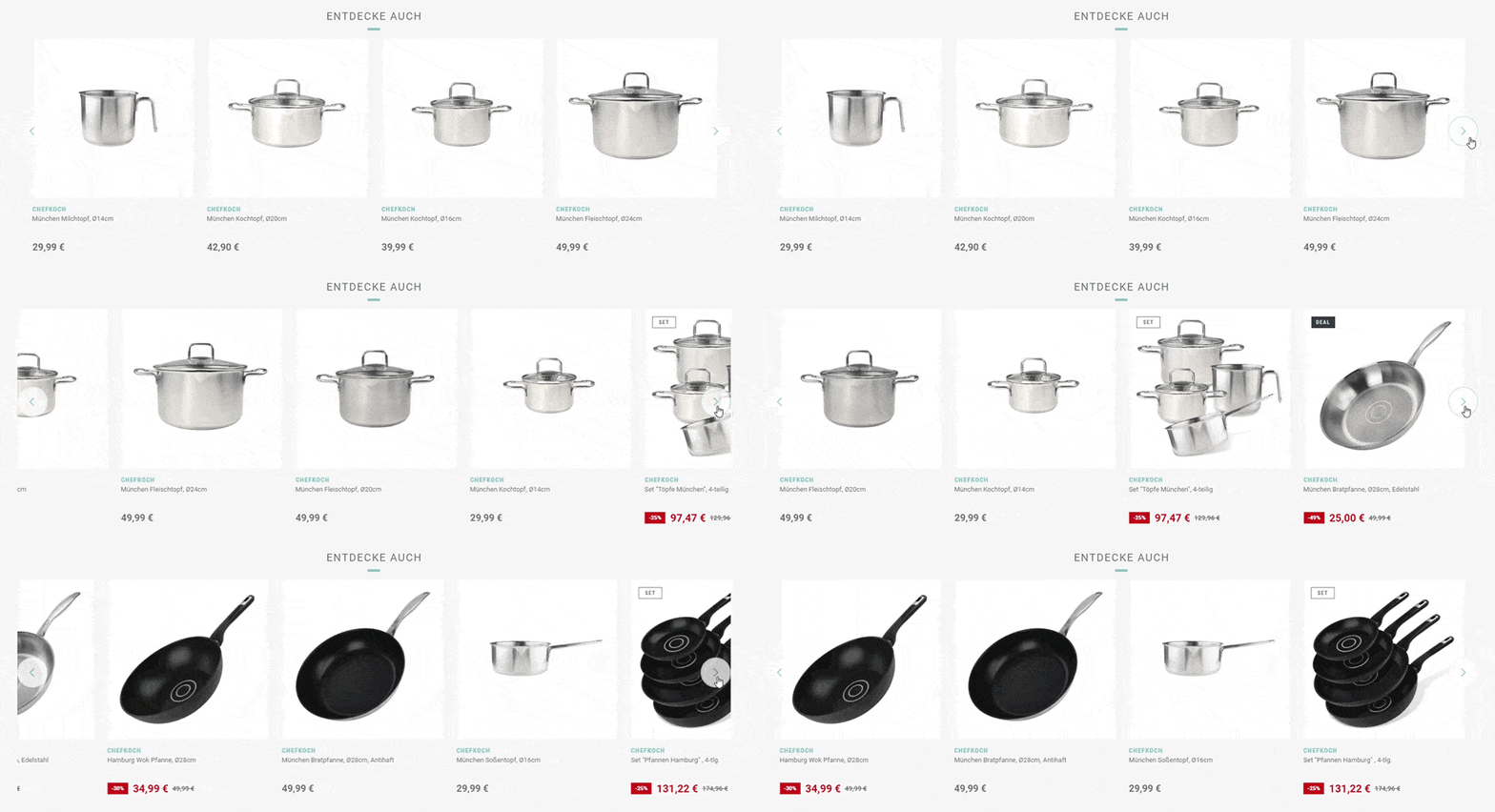
The slider display allows you to present your recommendations dynamically. They can move automatically in a specified window or be moved by clicking on a button. Additional recommendations are loaded via lazy loading (displaying additional recommendations after clicking). This allows your customers to browse for more products.
A recommendation widget can also be displayed in the form of a grid. A grid is a block-like display of recommendations. Here, several recommendations can be displayed one below the other, allowing the page to be enlarged via lazy loading to show further recommendations. One possible example here is the display of several outfit recommendations on the product detail page, which are executed via lazy loading.
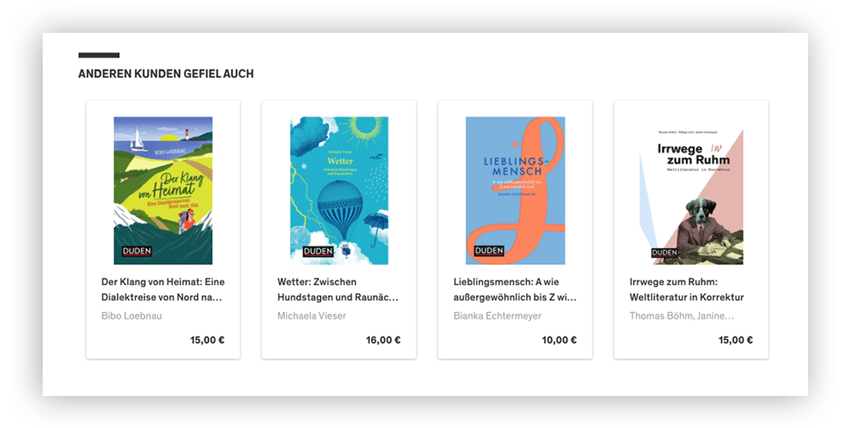
Example of a recommendation widget in the form of a grid in the Duden online shop (source: screenshot from shop.duden.de)
This version of the recommendation widget can also be easily integrated into themed worlds to display additional, topic-specific products. Read our blog article Personalizing Digital Storytelling: Emotional Commerce 2.0 for more information.
Stay up to date on personalization: Sign up for the Epoq newsletter. Register now!
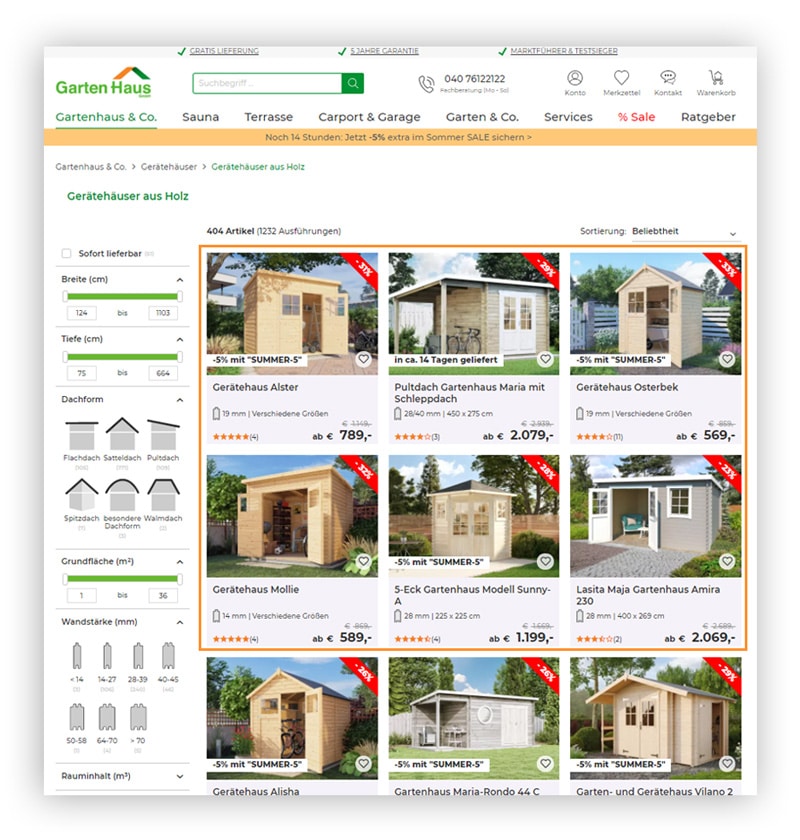
In addition, tile display is also possible. Here, the various recommendations are displayed in a tile format. The difference to the grid, however, is that you can assign different rules to individual recommendations and also place advertisements in between. The latter makes sense if, for example, you want to highlight a specific brand or product as part of a promotion. Displaying relevant recommendations as tiles gives you a great deal of flexibility.
The fourth display option for a recommendation widget is the panel. Here, you can display recommendations on the side if your customer has not seen the recommendations on the product detail page and is about to leave the page. Especially with technical products, the specifications take up a large part of the product detail page and quickly tell the online shopper whether the product meets their requirements or not. If the product does not meet the requirements, the online shopper usually does not scroll to the end of the specifications, where the recommendations are usually located, and switches to the ecommerce search engine or product categories.
The panel gives you the opportunity to draw attention to your recommendations once again and show your customer the right product after all. The panel can be customized to the customer so that it does not distract the online shopper. There are various levels of promotion intensity for this.
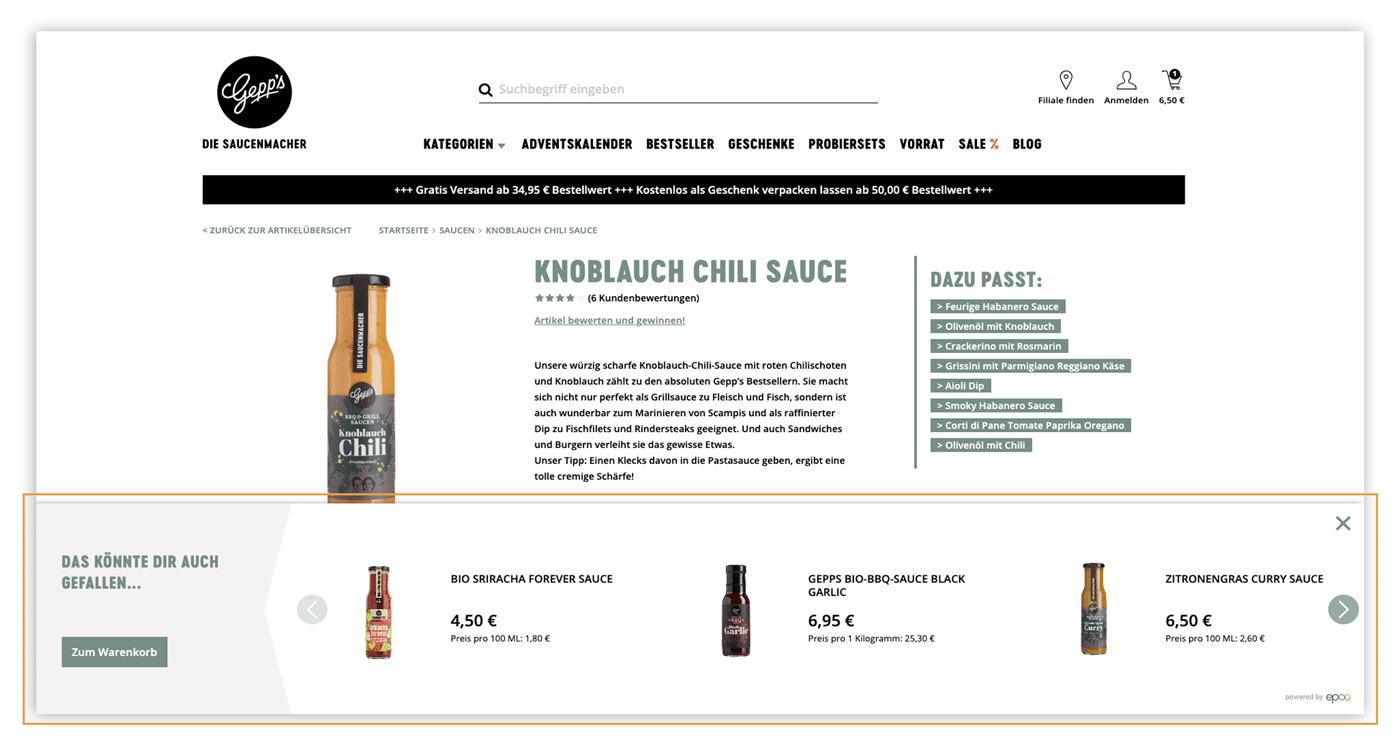
Example of a recommendation widget as a panel in Gepp's online shop (source: screenshot from gepps.de)
You can read about everything else you should pay attention to when it comes to your product detail pages in our blog article How to use the product detail page as a conversion lever.
Geo targeting (also known as geo location ) aims to display location-based content in a recommendation widget, thereby showing online shoppers even more relevant recommendations. A good example is weather-related content. If an online shopper is located in Pozzallo, Italy, for example, sunglasses will be displayed in the recommendation widget. However, if the online shopper were in Huopanankoski, Finland, winter hats and scarves would be more appropriate for display in the recommendation widget. In this way, relevant recommendations can be displayed even more accurately and, above all, in a more personalized manner. You can apply geo-targeting to any variant of the recommendation widget.
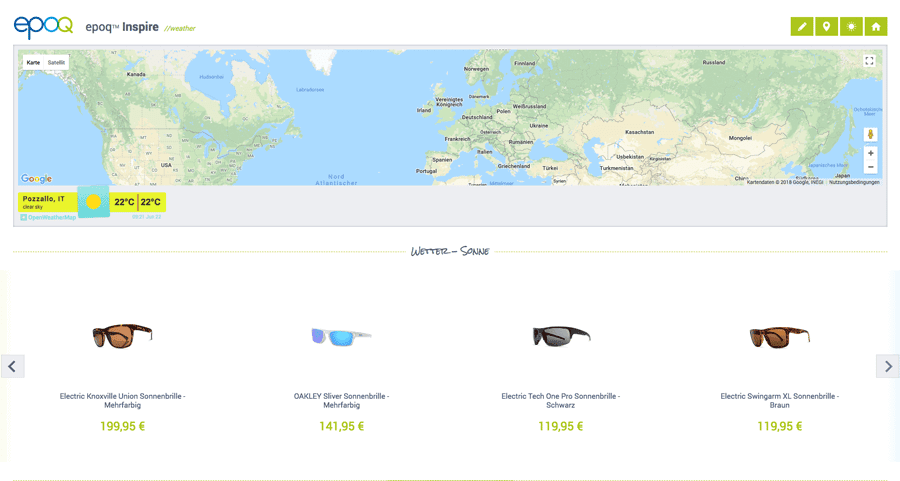
Recommendation widget with geo-targeting function for summer in Italy
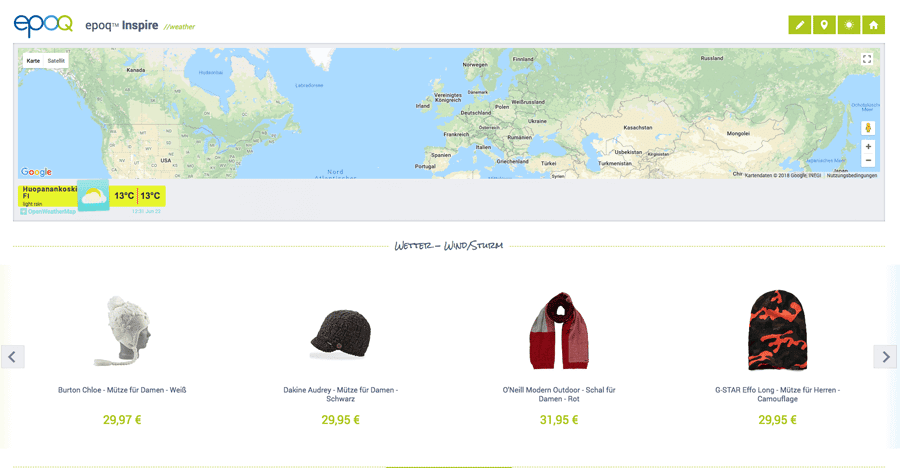
Recommendation widget with geo-targeting function for winter in Finland
The recommendation widget is usually implemented on a test system of the online shop. Therules for the relevant recommendations aredefined in advance in the backend of the recommendation systemso that the frontend developer can test the functionality while developing in the test system of the online shop. The recommendation widget is then developed in line with the corporate design of the online shop.
During development, it is important to consider responsivedesign so that the recommendation widget is always displayed correctly in terms of styling and functionality, regardless of the device used. For example, on a desktop, four recommendations can be displayed in a recommendation widget as a slider, while on a mobile device, only two recommendations may be displayed. If, for example, four recommendations must be visible at all times in the shopping cart, both on desktop and mobile devices, the grid variant can be selected for this purpose.
Once the Recommendation Widget is complete, as a shop operator, you simply need to select the positions via adiv element in the online shop to determine where the Recommendation Widget will be displayed.
Stay up to date on personalization: Sign up for the Epoq newsletter. Register now!
A recommendation widget helps you showcase your relevant recommendations and draw attention to them. There are various options available for this, such as displaying the recommendation widget as a slider, grid, tile, or panel. You can also equip your recommendations with an additional feature, geo-targeting, and respond even more personally to your online shoppers depending on their location. That's why it makes sense to take your time when choosing a recommendation widget. This will help you find the right recommendation widget to increase your shopping cart value.
Discover how Outletcity Metzingen achieved a 5.04% increase in revenue per session.
Request the case study now!

You are currently viewing placeholder content from HubSpot Embedded Content. To access the actual content, click the button below. Please note that doing so will result in data being shared with third-party providers.
More InformationYou are currently viewing placeholder content from HubSpot. To access the actual content, click the button below. Please note that doing so will result in data being shared with third-party providers.
More InformationYou are currently viewing placeholder content from HubSpot Meetings. To access the actual content, click the button below. Please note that doing so will result in data being shared with third-party providers.
More Information