
- Reduce Bounce Rate
- Control Desk
Reducing bounce rates | Part 1: 4 control desk tips for dealing with zero-hit pages
Zero-hit pages are the no man's land of online shops: once visitors land on them, it can be difficult to persuade them to search for products again. Often, they leave the online shop and search for the desired product among competitors. Shop operators naturally want to avoid this, especially if the desired item is actually available in the product range but cannot be found using the search term entered. It is therefore important for e-commerce managers to address the issue of zero-hit pages and develop strategies to avoid them or even make them work for them.

Here's what you can expect to find in this blog article:
What are zero-hit pages and why do they exist?
4 tips for dealing with zero-hit pages
Tip 1: Make content posts searchable
Tip 2: Incorporate the customer's language
Tip 3: Offer a service for sold-out products
Tip 4: Display alternatives to products that are not carried
What are zero-hit pages and why do they exist?
Zero-hit pages appear when the shop search cannot find any matching results for a search term. However, this does not necessarily mean that the product you are looking for is not available. On the contrary: there can be many different reasons why a search term does not return any results, and these vary from one online shop to another. For example, the search term "stockings" may appear as a zero-hit term in one shop because the shop does not stock stockings, while in another shop it may not return any hits because the stockings in the product catalog (description, title, category, etc.) are referred to as "socks" and are therefore not listed as search results. Why a search term triggers a zero-hit query must be analyzed for each shop individually. For an overview, we have listed the most important reasons and corresponding tips:
4 tips for dealing with zero-hit pages
The first step should be to identify which search terms result in pages with zero hits. The relevant analysis is available in Epoq Control Desk. In the search analysis section, under “Search Term Analysis” (tab: Zero Hits), you will find the following reports:
- Most common zero-hit search terms
- the number of search queries
- the proportion of the search term in total search queries
For example, in our e-fashionshop (Epoq Demo Shop), the term “Camp David” was searched for three times during the reporting period. To perform further analyses using these metrics, the data can easily be downloaded as an Excel or CSV file.
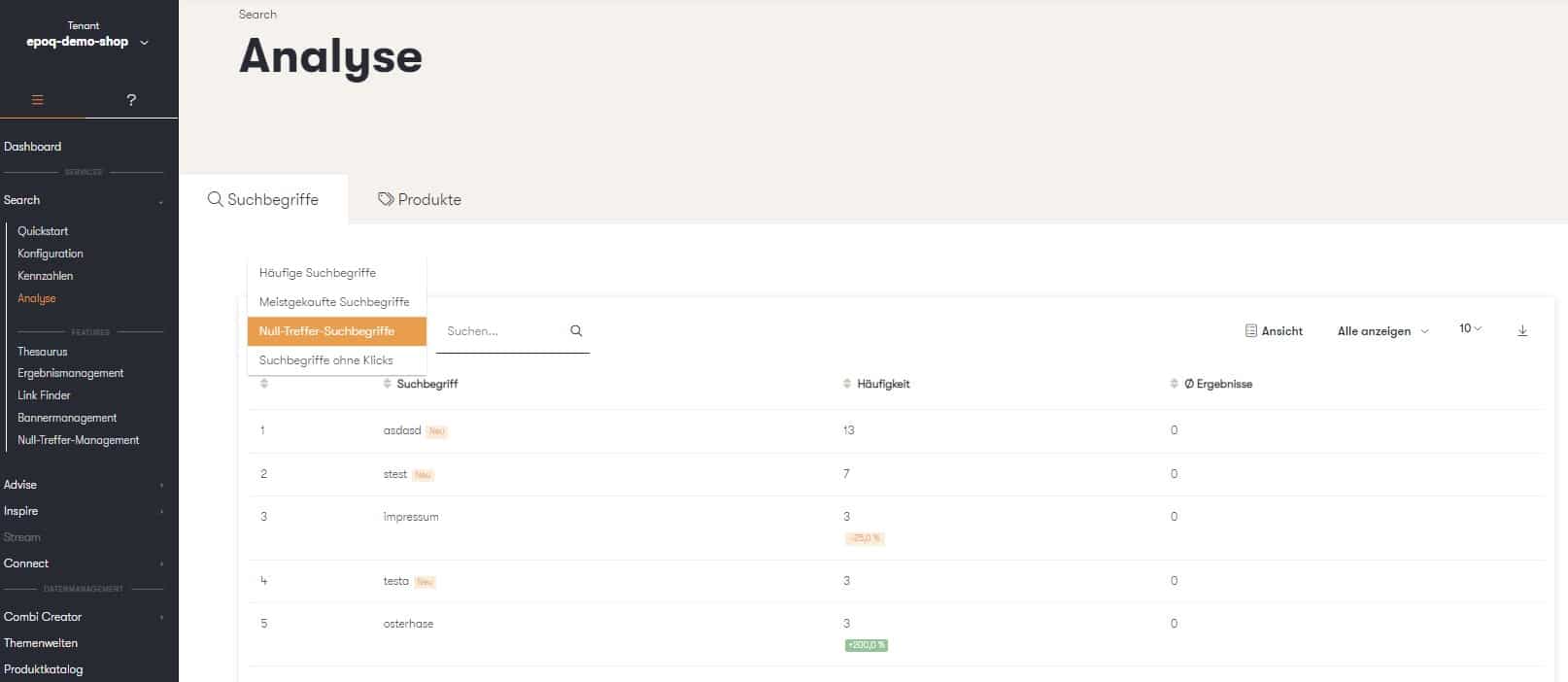
Zero-Hit View in Epoq Control Desk
After analyzing the zero-hit search terms, the next step is to individually select the appropriate counterstrategy. Our four tips will help you with the selection and implementation:
Stay up to date on personalization: Sign up for the Epoq newsletter: Register now!
Tip 1: Make content posts searchable
Content pages are typically informational or trend report pages and are not usually displayed in the product catalog. As a result, they cannot be found using the search function, and related search queries end up on the "no results" page. To work around this, Epoq offers the "Link Finder" feature. This can be found in the Search section. With Link Finder, content pages can be linked and thus made searchable. Only three pieces of information are required for this:
- the desired search term
- a brief description
- the appropriate link
Additional options allow you to set the error tolerance (e.g., using the "similar" checkbox) and direct forwarding to the content page. Possible entries include:
- Contact
- shipping
- terms and conditions
- blog posts
- Themes and trends
- company pages
It may also be useful to integrate links to external sites into the search, such as a redirect to the parcel tracking service of the parcel sender.
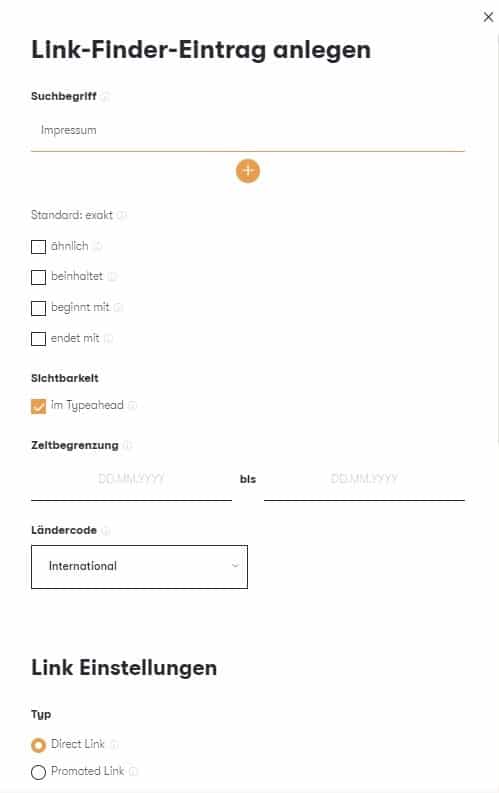
Integrating content pages using the Epoq Link Finder
Do you know what a “Tornister” is? No? Your customers might. And they’re searching for exactly that, instead of a school backpack. The result: They end up on a page with zero results, even though there are hundreds of school backpacks in your inventory. To avoid exactly that, Epoq offers the Thesaurus feature. You can find it in the Search section. There are five different thesaurus rules to choose from: Equate, Expand, Exclude, Replace, and Zero Results. With Equate entries, the search results for both entered terms are displayed, regardless of which one is searched for. This solves the “Tornister-schoolbag” problem described above, for example. If, on the other hand, you want to exclude results for certain search terms, the Exclude rule comes in handy. For example, this allows you to exclude all products related to the term “serum” (e.g., skin creams) when searching for the alcoholic beverage “rum.” We have integrated additional examples and explanations of the Expand, Replace, and Zero-Hit rules into the Control Desk’s Thesaurus Input menu.
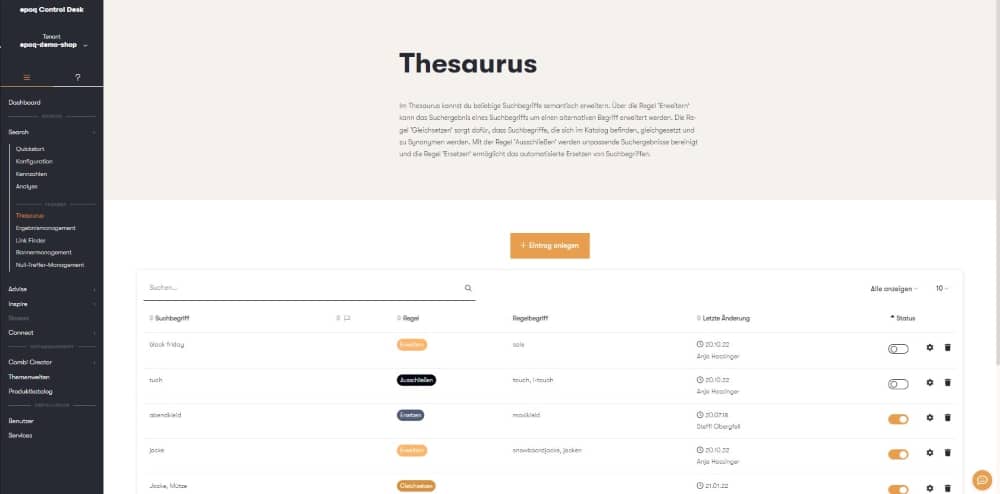
Thesaurus Settings in Epoq Control Desk
Tip 3: Offer service for sold-out products
Another reason why users land on the zero-hit page is that the product they are looking for is in principle available in the range but is currently sold out. A change in the shop system can help here. For example, the detail pages of sold-out items can still be displayed, but with a clearly visible note on availability in the brick-and-mortar store or renewed availability in the online shop. Combining this with a pre-order function helps visitors to still get the item they want. If you want to pursue a different strategy in this case, it is also possible to use result management for specific search queries for sold-out products. This can be found in the Search section. If, for example, the Darth Mack sweater from Naketano is sold out, other hoodies from the brand that are similar to the product being searched for can be displayed instead.
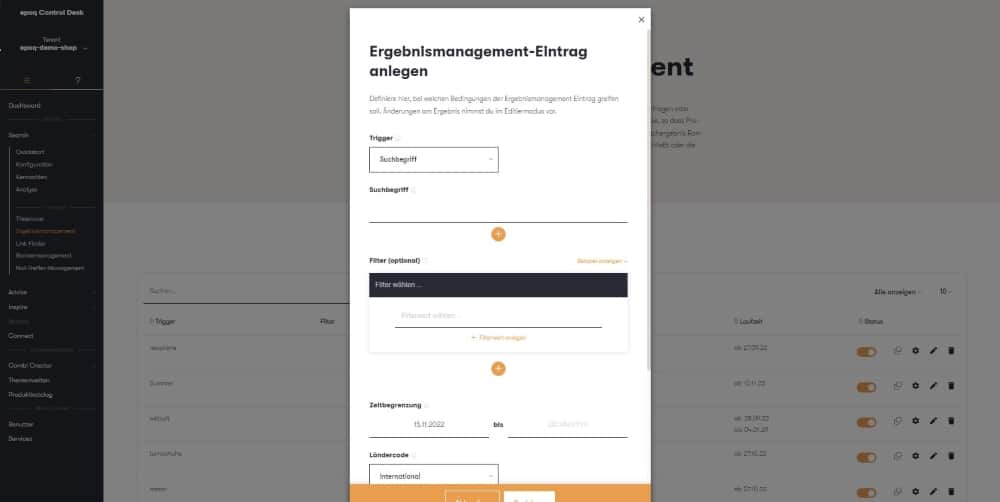
Performance Management in Epoq Control Desk
Tip 4: Display alternatives to non-guided products
The strategies discussed so far all target search queries for products or items that are generally available in the store. However, there are of course also search queries for items that are not carried in the product range, such as specific brands, seasonal items, or trends. The no-results page is designed precisely for such search queries, so redirecting users to it does not need to be avoided. Nevertheless, you shouldn’t consider the visitor lost, even if the search term doesn’t perfectly match the online store. Quite the contrary: The zero-results page can also work in the online store’s favor by being customized to the search query using Epoq. With a recommendation widget, the searcher can be offered alternatives to their query, thereby keeping them on the online store. For example, the Camp David brand is similar to the La Martina brand; Ugg boots are also available from many other brands; and carnival costumes can be represented by 1920s dresses, polka-dot skirts, and dirndls. Add a compelling explanatory text (e.g., in a banner) to this, and the customer is instantly inspired and convinced by the online store.
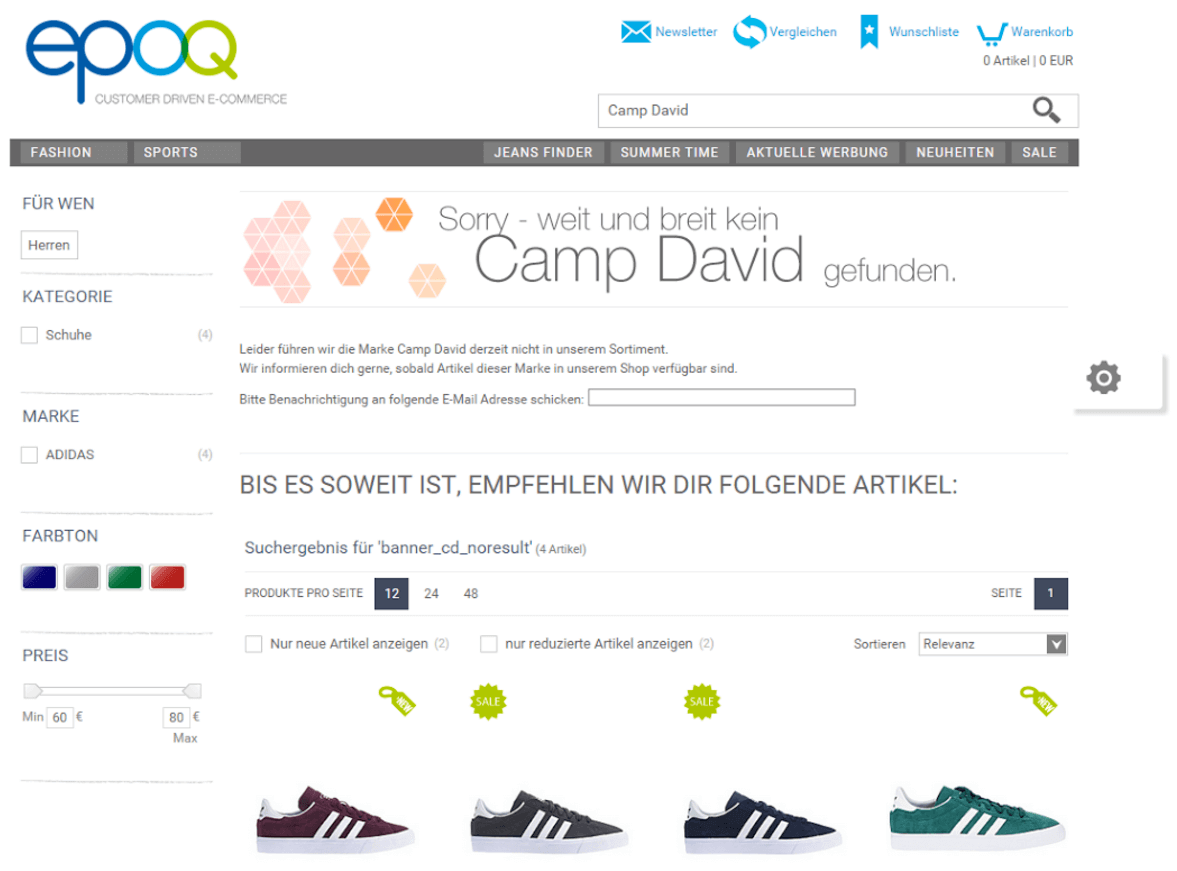
Alternative recommendations instead of a zero-hit page
Stay up to date on personalization: Sign up for the Epoq newsletter: Register now!
Our conclusion
Dealing with zero-hit pages is easier than you might think with our four tips. The important thing is to first analyze which terms or types of search queries are affected by zero hits and why. Then, a prevention strategy can be set up individually for each search term. It should be noted that zero-hit pages can also work for the online shop by providing inspiration in the form of similar products. This reduces the bounce rate and encourages the customer to continue shopping in the online shop.
Increase your personalization success
Do you have any questions or need help with optimization? Our Customer Success Team will be happy to assist you.

Log in to your Control Desk now and start optimizing. Don't have Control Desk access yet? You can request your account here » Request Control Desk account

Janina Küpferle
You are currently viewing placeholder content from HubSpot Embedded Content. To access the actual content, click the button below. Please note that doing so will result in data being shared with third-party providers.
More InformationYou are currently viewing placeholder content from HubSpot. To access the actual content, click the button below. Please note that doing so will result in data being shared with third-party providers.
More InformationYou are currently viewing placeholder content from HubSpot Meetings. To access the actual content, click the button below. Please note that doing so will result in data being shared with third-party providers.
More Information