
- Control Desk
- Increase Conversion Rate
4 control desk tips for a wonderful Easter season in your online shop
Spring has begun and Easter shopping season is just around the corner. Create that special Easter feeling again this year and help your online shoppers find the perfect Easter gifts. This will not only enhance the shopping experience but also increase your sales. In this blog article, we have put together four tips to help you do just that.

Here's what you can expect to find in this blog article:
Tip 1: Use themed worlds for your Easter campaign
Tip 2: Create an Easter atmosphere with appropriate banners
Tip 3: Add coupons to your recommendation widget
Tip 4: Offer a digital product advisor
Conclusion: Utilize the options in the Control Desk
Tip 1: Use themed worlds for your Easter campaign
You’ve probably already planned an Easter newsletter campaign. Why not use your Epoq knowledge base for your newsletter as well, to showcase Easter-themed products to your customers or to create your own landing page featuring Easter-themed products? Whether it’s Easter decorations or Easter gifts, with themed collections you have complete freedom to define your product selection.
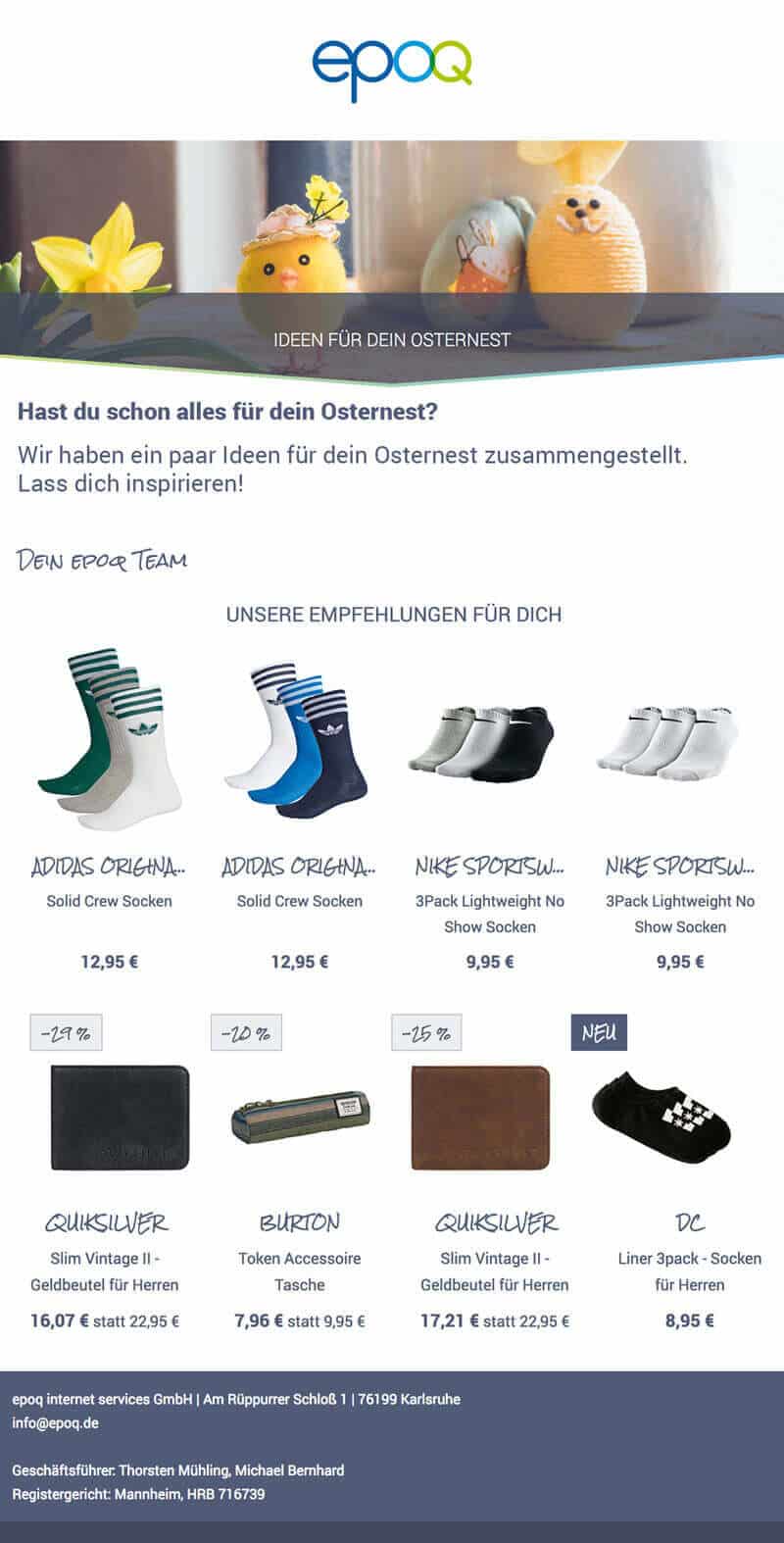 Example of an Easter newsletter
Implementation in Epoq Control Desk
In Epoq Control Desk, go toFeatures > Theme Worlds. Theme Worlds let you narrow down recommendations to a specific topic. Click “Create Theme World” to start by setting up:
- a title,
- a description and, if desired,
- Set an end and start date.
Then select where you want to use the theme world. Here you can select individual recommendation widgets or a flexible theme world and use it in the search, for example. After you have saved the theme, you can edit it using the pencil icon. Add the desired products to your theme using the attributes on the left. Please note that you should not limit the theme too much so that the service still has enough products to personalize.
Note: If you are using theme worlds for a widget for the first time, the rule chain must be adjusted in the Rule Editor. Your Customer Service Manager will take care of this for you and inform you as soon as it has been implemented.
Stay up to date on personalization: Sign up for the Epoq newsletter: Register now!
You can find more information on the topic areas in the following blog article: Recommendation Management Part 3: Topic Areas
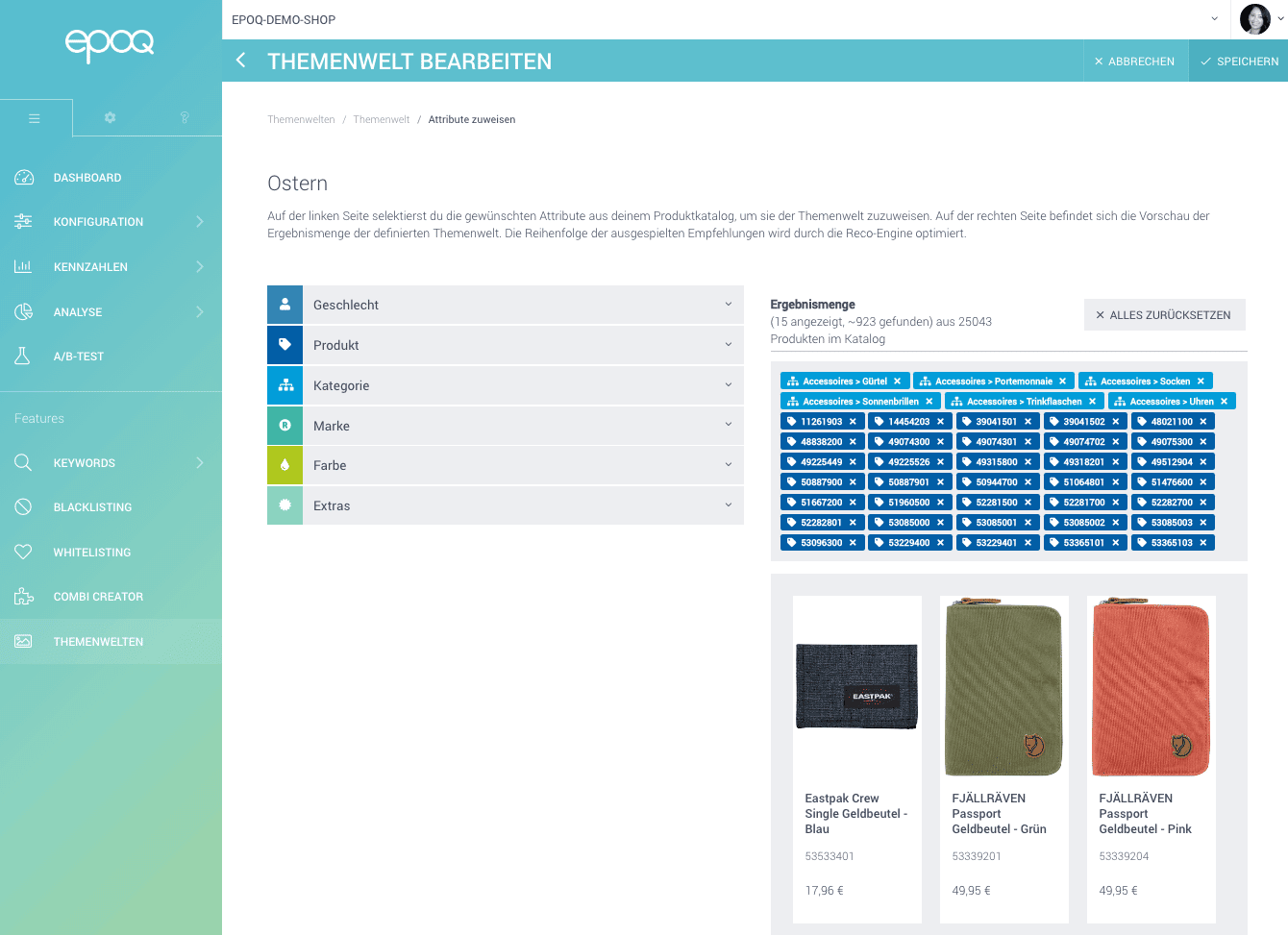
Edit Mode: Feature Theme World in Epoq Control Desk
Tip 2: Create an Easter atmosphere with appropriate banners
Banners are a powerful tool for visualizing special events or promotions and thus anchoring them in the minds of customers. This makes them perfect for Easter business. You can also use banners to draw attention to special Easter offers or make certain landing pages easier to find, for example. There are many possibilities.
There are virtually no limits to the possibilities in terms of content and design. You can:
- static or animated HTML banners,
- Text or image banners,
- Keyword-oriented or general banners
Integrate. Decide freely what you want to use and what suits your online shop and your strategy.
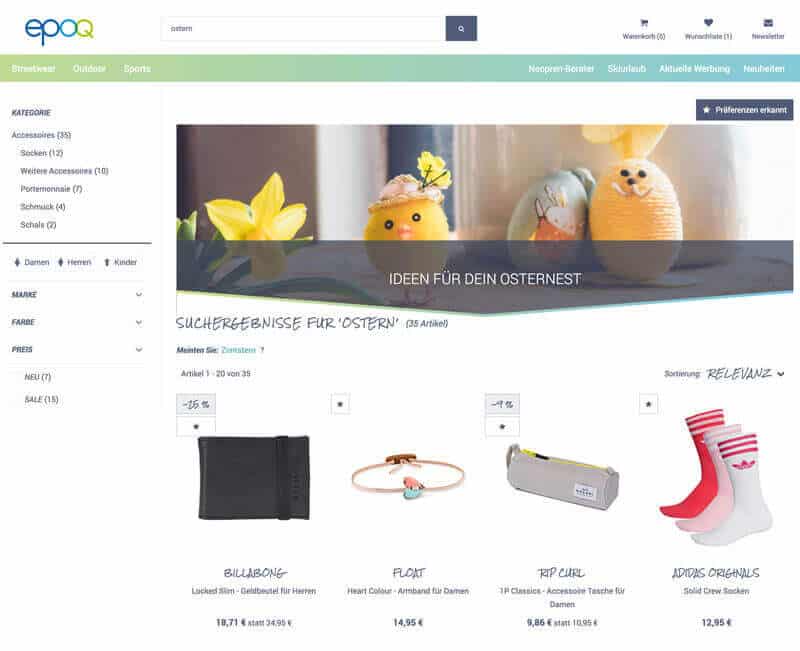
Easter Banner in the Epoq Demo Shop
Implementation in Epoq Control Desk
Banners can be created in Epoq Control Desk underFeatures > Keywords >Banner Management. First, you need to set the trigger for when a banner appears. Here, you can choose between:
- a specific search term,
- all search terms,
- a specific navigation point,
- all navigation points or
- all search terms and navigation points
Select. Banner management for navigation points only works if you also use Epoq Search for navigation. Then select the desired search term(s) or navigation point(s). You can use options and filters to refine your banner’s trigger. If you want the banner to be active only for a specific period, you can set a start and end date. You can then upload the banner as an image or in HTML format.
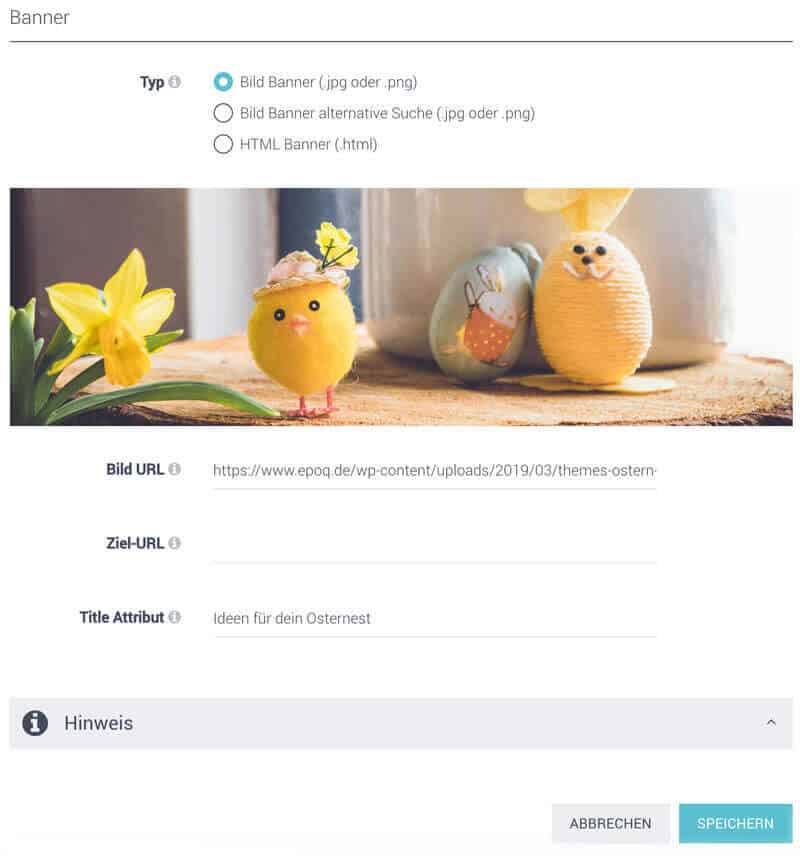
Banner settings in the Control Desk
You can find more information about banner management in our blog article: Banner management for campaign advertising
Tip 3: Add coupons to your Recommendation Widget
Gift cards are also a popular Easter gift and should therefore be prominently advertised. The prerequisite is that the gift cards are included as a product in your product catalog and can therefore be recommended in the Recommendation Widget. You can decide for yourself in which Recommendation Widgets you want to display the gift cards first. Interesting placements include the home page, the shopping cart, or the zero-hit pages.
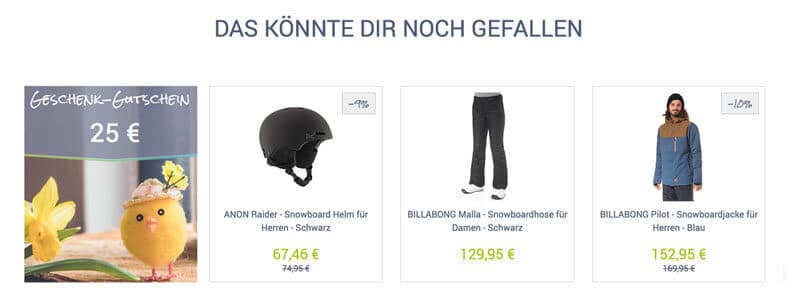
Recommendation widget with coupon
Find out what options you have with recommendation widgets in our blog article:Recommendation Widget: Variants and Implementation
Implementation in Epoq Control Desk
In the Epoq Control Desk, click onFeature > Whitelisting. A whitelist allows you to display categories or individual products at the top of the list. First, choose a title for your whitelist, then decide whether you want to create it globally or for a specific widget. Next, click “Save.” You can edit the whitelist you’ve created by clicking the pencil icon. Select the desired coupons via “Product ID” or “Category” and add them to your whitelist. Then, all you have to do is click “Save.”
Note: When the whitelist is used for a widget for the first time, the rule chain must be adjusted in the Rule Editor. Your Customer Service Manager will take care of this for you and let you know as soon as it has been implemented.
Would you like to learn more about whitelisting? Then we recommend our blog article:How to highlight (branded) products in your online shop using whitelisting.
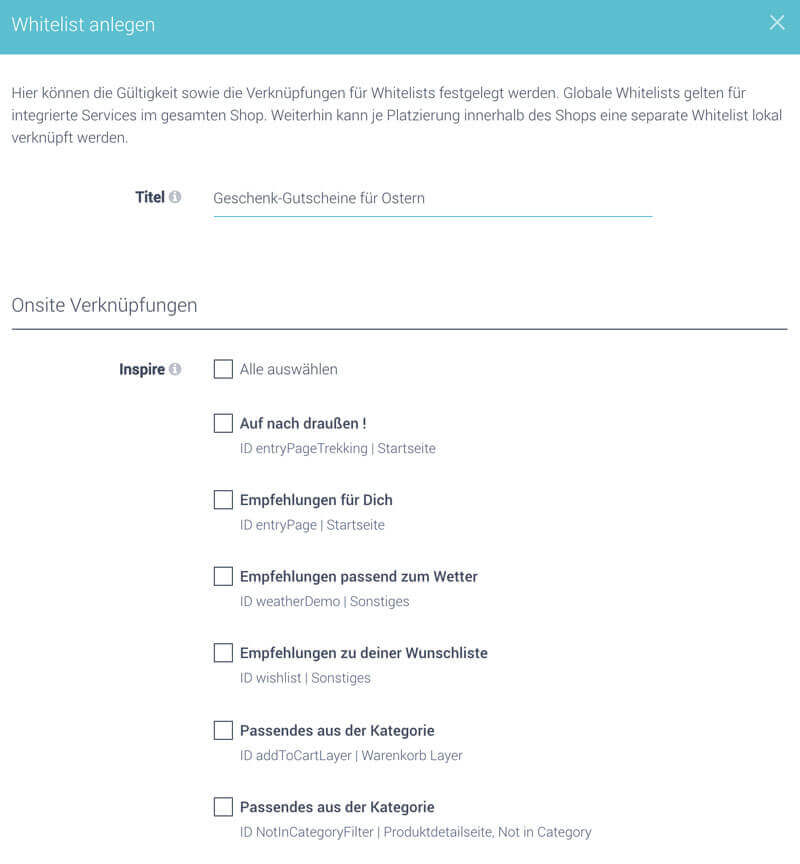
Create a whitelist in Epoq Control Desk
Tip 4: Offer a digital product advisor
In brick-and-mortar stores, customers like to get advice on gifts. You can also meet this need online by offering a digital product advisor for Easter gifts. The digital product advisor asks a series of questions to determine the customer's needs and puts together a selection of possible Easter gifts.
Stay up to date on personalization: Sign up for the Epoq newsletter: Register now!
Of course, a product advisor cannot be integrated as quickly as banners or vouchers in recommendation widgets, for example, and requires some lead time for design and integration. However, it is a helpful tool for assisting customers in finding the right gift.
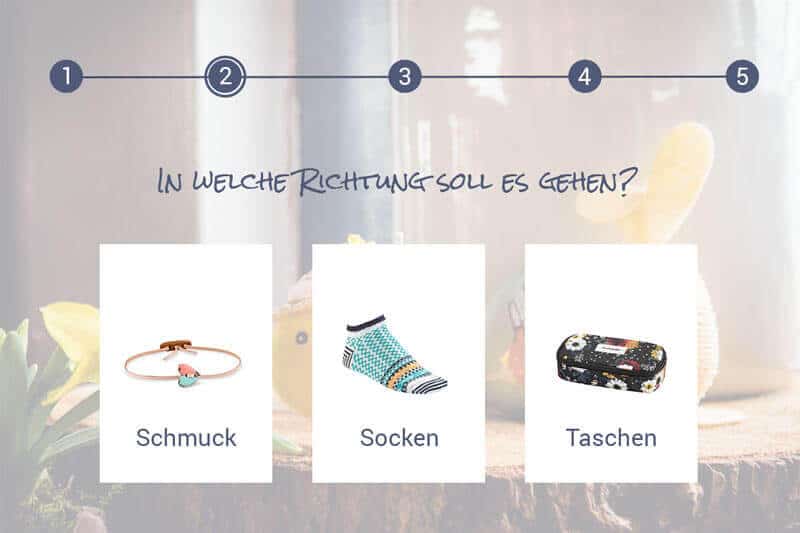
Visualization of a digital product advisor for Easter
Conclusion: Take advantage of the possibilities offered by the Control Desk
Get your online shoppers in the Easter spirit with your Control Desk features and help them find Easter gifts. This will not only enhance the shopping experience, but also increase your sales. Your Control Desk features don't just help you with Easter sales—you can use them all year round to increase customer satisfaction and loyalty. So, take advantage of the options in the Control Desk to prepare your online shop for different occasions and create the right atmosphere.
Increase your personalization success
Do you have any questions or need assistance with the Control Desk? Our Customer Success Team will be happy to help you.

Log in to your Control Desk now and start optimizing. Don't have Control Desk access yet? You can request your account here » Request Control Desk account

Anne-Katharina Frank
Customer Success ConsultantYou are currently viewing placeholder content from HubSpot Embedded Content. To access the actual content, click the button below. Please note that doing so will result in data being shared with third-party providers.
More InformationYou are currently viewing placeholder content from HubSpot. To access the actual content, click the button below. Please note that doing so will result in data being shared with third-party providers.
More InformationYou are currently viewing placeholder content from HubSpot Meetings. To access the actual content, click the button below. Please note that doing so will result in data being shared with third-party providers.
More Information