
4.23% higher click-through rate on product overview pages thanks to self-learning ranking at A-Z Gartenhaus
A-Z Gartenhaus increased the click-through rate on product overview pages by more than 4% using a self-learning ranking system.

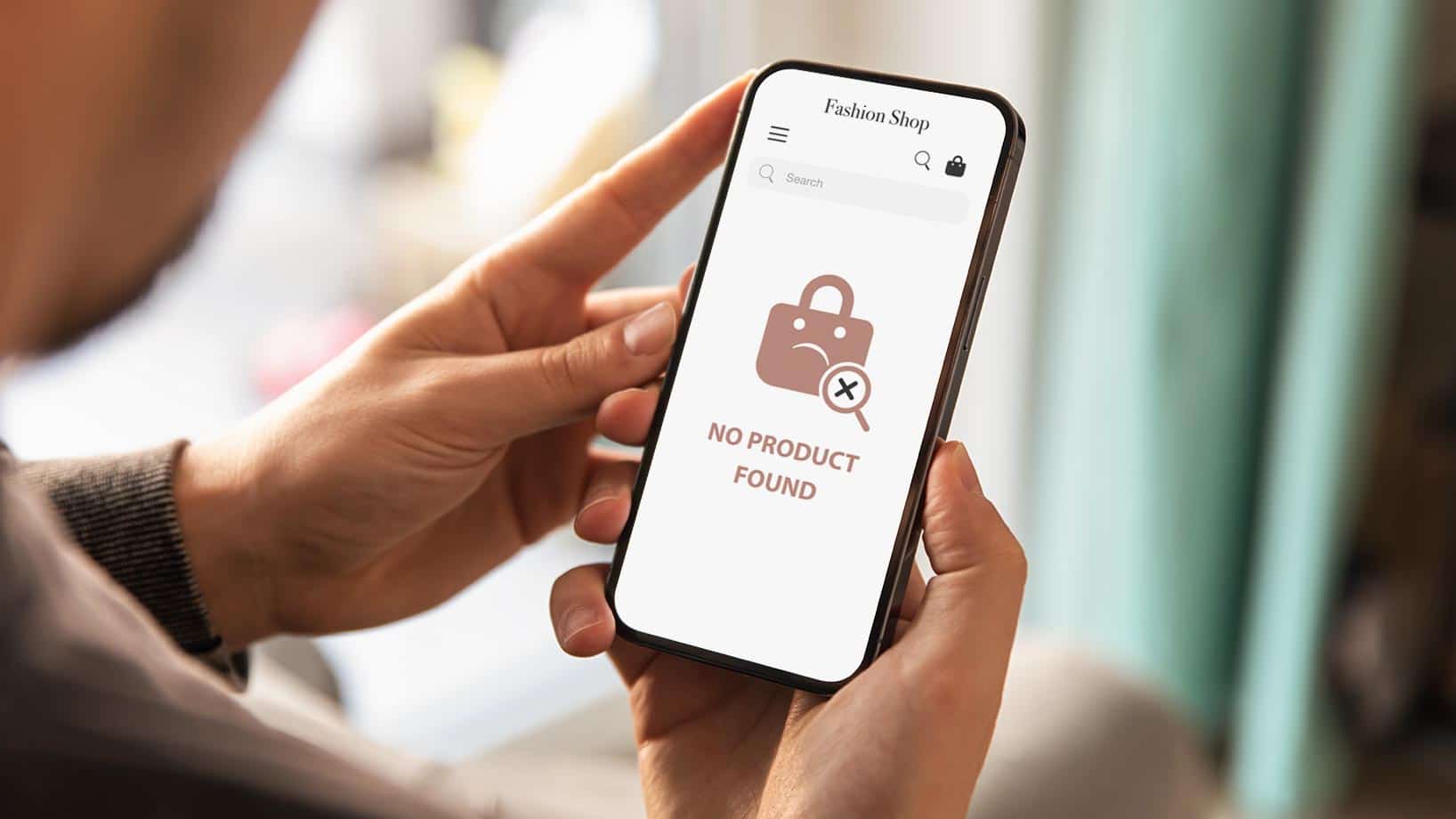
Zero-hit pages are frustrating for customers and lead to high bounce rates. This makes it all the more important to calculate and analyze the zero-hit rate. This rate can provide you with important insights into your online store's search function. In the following article, you will learn everything you need to know about what the zero-hit rate means in e-commerce and how to calculate it. You will also receive valuable tips on how to optimize this metric and design zero-hit pages in the best possible way.
Here's what you can expect to find in this blog article:
What is a zero hit rate in e-commerce?
How to calculate the zero hit rate of your shop search
Analyze the zero hit rate and gain important insights
How to optimize your shop search and reduce the zero-hit rate in e-commerce
More conversions with ecommerce search engine
Integrate autocomplete into your search
Offer error-tolerant search
Lower bounce rates with personalized landing pages
Display product recommendations for your customers
Offer direct customer contact via chat function
Provide a service hotline for questions
Integrate blog posts
Gain newsletter subscribers via the zero-hit page
Conclusion: Analyze your zero hit rate in e-commerce and optimize your search
Frequently asked questions about zero hit rates in e-commerce
We've all been there: you search for a specific product or brand in an online shop and end up on a page with the message "Unfortunately, your search did not return any results." These pages are called zero-hit pages. The zero-hit rate in e-commerce calculates the proportion of search queries that did not yield any results in relation to the total number of search queries made. This rate gives you an idea of what percentage of search queries came up empty.
To get a sense of how many searches come up empty, it is important to calculate the zero hit rate. To do this, compare the number of zero-hit searches to the total number of searches on your online store.
The formula for the zero hit rate is: 100 * number of searches with zero hits / total number of searches = zero hit rate
The resulting percentage value tells you how high the proportion of zero hits is in the search queries made on your online shop.
Example: Let's assume that your online shop receives 2,000 search queries per month. The number of search queries that come up empty is 250. The formula for calculating the zero hit rate would therefore be: 100 * 250 / 2,000. The result would be a zero hit rate of 12.5%.
It is not only important to analyze the zero hit rate of your shop search, but also to keep an eye on it at all times. A high rate tells you that you should definitely optimize your shop's search function. As an online retailer, the search function offers you plenty of optimization potential, allowing you to reduce the bounce rate and achieve more conversions. By checking regularly, you can ensure that there are no serious errors in the functioning of your search.
Stay up to date on personalization: Sign up for the Epoq newsletter. Register now!
If you notice that the rate increases within a certain period of time, this indicates that something is wrong with your shop's search function. For example, there may be a failure in the search function, which means that most or even all search queries do not return any results. It is therefore important that you always keep an eye on this value in order to detect and correct errors at an early stage.
The zero-hit pages of an online shop often lead to a high bounce rate. Therefore, it is all the more important that you start with the search function and optimize it if you notice a high zero-hit rate. This is because search in e-commerce offers great, mostly untapped potential. There are various ways to improve your shop's search function. You can find out which important functions your search should offer in our blog post on onsite search.
The standard search function integrated into online shops usually quickly reaches its limits when it comes to customizing the search. The use of an ecommerce search engine expands the limits and optimizes the search function. The algorithm behind this search is able to calculate search results in a targeted manner, thus providing customers with results that match their search query. For example, the algorithm recognizes spelling mistakes and suggests similar search queries. In this way, you can make a significant contribution to improving the shopping experience.
An auto-complete function, often referred to as autocomplete or autosuggest, makes it easier for your customers to find products in your online store. Some may already be familiar with this feature from Google Search. The system works as follows: The searcher begins to enter their search query, and possible options matching the entry are displayed. This feature can also be integrated into any online store. This helps to avoid typos and improve the hit rate.
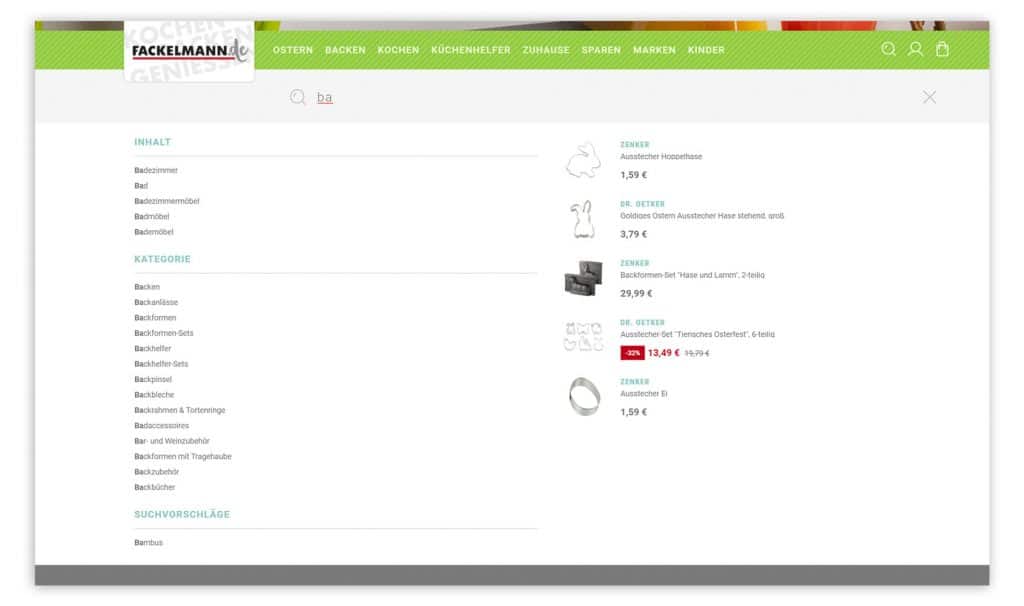
The autosuggest feature of the ecommerce search engine displays relevant suggestions as soon as you start typing in the search field. (Source: Screenshot from fackelmann.de)
With an error-tolerant search, you ensure that your customers still get hits even if errors creep into the search query. In this case, error-tolerant means that search results are still displayed even if the search input contains typos or spelling mistakes. However, other spellings, numbers, and synonyms are also taken into account in an error-tolerant search.
By making content posts searchable, taking customer language usage into account, and enabling search term combinations, you can also optimize your zero hit rate.
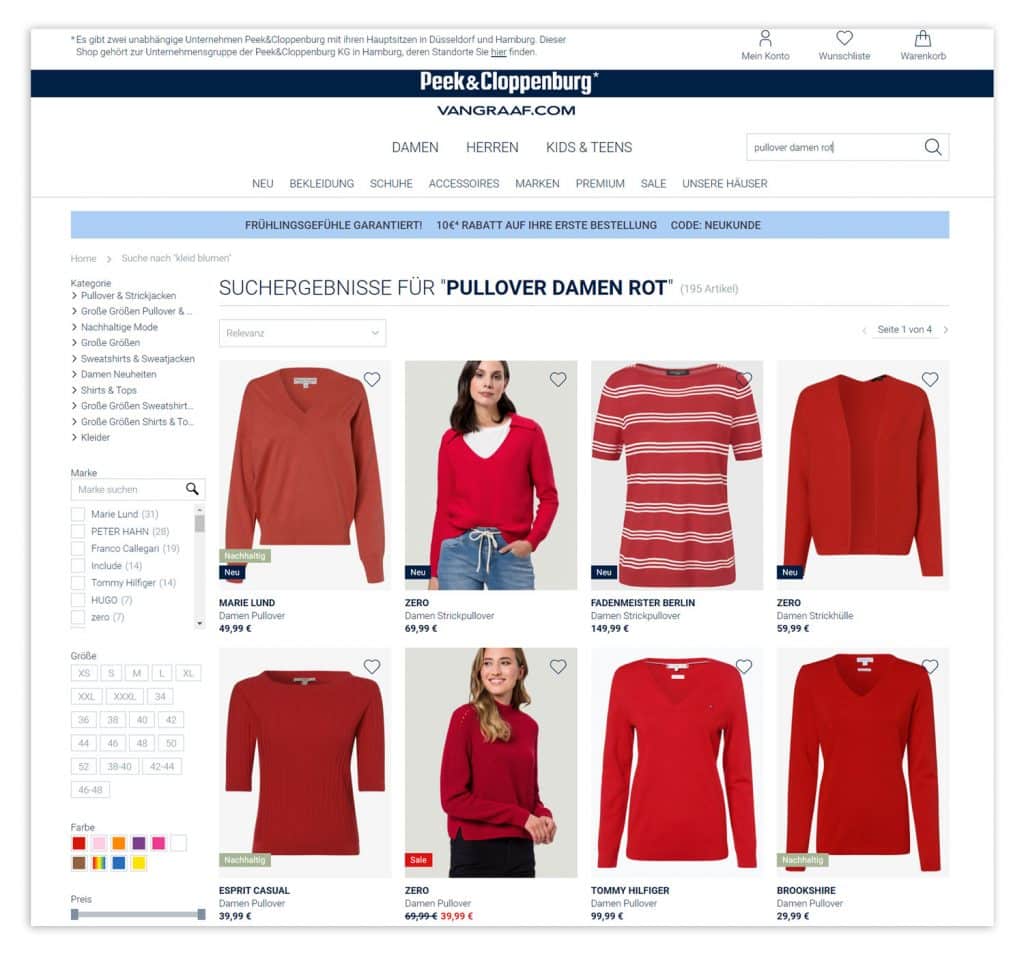
A semantic search allows for combinations of search terms and also delivers results that match specific search queries with properties.
(Source: Screenshot from peek-und-cloppenburg.de)
For more information on how to handle pages with zero hits and how you, as an Epoq customer, can implement these measures in Control Desk, see our article " Reducing Bounce Rate | Part 1."
Even with an optimized search, there are still search terms that yield no results if the product being sought simply isn’t (yet) available in the store. In such cases, it’s important to customize the no-results pages to reduce the bounce rate. If you’re already an Epoq customer, you can easily create, edit, and customize no-results pages as desired via the Epoq Control Desk. You can find step-by-step instructions in the blog article on no-results management.
We have also summarized some general options for designing these pages for you below.
By recommending similar or popular products on the zero-hit page, you can encourage your customers to make a purchase despite an unsuccessful search. You are free to choose the design of the product recommendations. For example, you can place similar products there or display the most frequently purchased products. This way, your customer may not get an exact match for their search query, but they will be recommended other items that may be of interest to them. You can also use personalization here and display recommendations that match the individual preferences of each customer and are therefore particularly relevant.
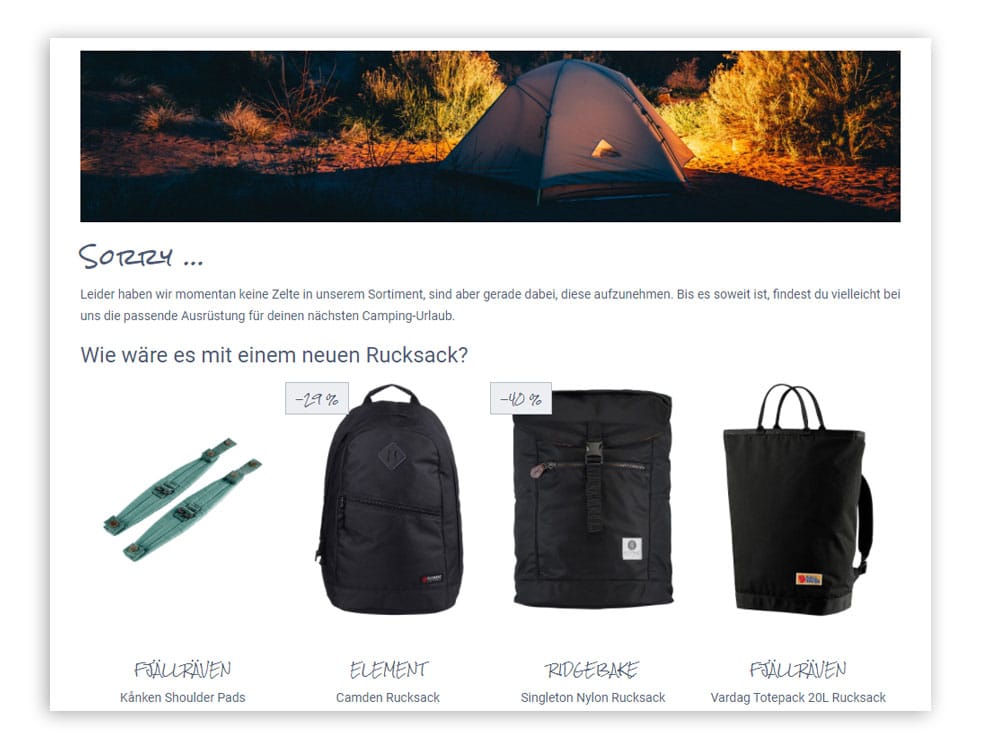
Customized zero-hit pages can reduce bounce rates, for example, by displaying alternative search results.
By integrating a chat feature on pages with zero hits, customers have the opportunity to contact an employee directly. You can use the chat feature to answer customer questions immediately, help them find the right product, and prevent them from leaving your store without making a purchase.
As an alternative or supplement to a chat function, the zero-hit page can also be equipped with a service hotline. This gives you another opportunity for direct customer contact. Customers who prefer to speak to an employee in person can use this function. This allows you to respond to the user's individual needs, advise them on products, and complete purchases.
Your customer may not have found the product they were looking for. However, that doesn't mean they aren't interested in exciting content. You can therefore use the zero-hit pages for specific terms to provide them with blog posts or other content. When recommending content, make sure that it matches the user's search query.
Stay up to date on personalization: Sign up for the Epoq newsletter. Register now!
Another way to use zero-hit pages to your advantage is to integrate a newsletter sign-up. Convince your customers that although you don't currently offer the right product in your online shop, it's still worth signing up for the newsletter. That way, they'll always be informed about new products and can benefit from special offers.
Our guide to bounce rates provides you with further valuable tips on how to reduce them.
The zero hit rate gives you information about the untapped potential hidden in your search. Keep an eye on the rate and use the many options available to optimize your search function. Also, pay attention to changes so that you can identify errors in the search early on and respond to them. In addition, harness the power of zero-hit pages. With the right personalization of these pages, you can generate more conversions and reduce your bounce rate.
The zero hit rate refers to the ratio of search queries without hits to the total number of search queries made.
The zero hit rate is calculated as follows: 100 * number of zero hit searches / total number of searches.
You should optimize your shop's search function to reduce the bounce rate caused by zero-hit pages and achieve a better user experience.
The search function of an online shop can be optimized, for example, by integrating an ecommerce search engine with features such as error tolerance and an autosuggest function.
Zero-hit pages are versatile. You can use them to recommend products or blog posts to customers, get in direct contact with them via chat or a service hotline, or encourage them to sign up for a newsletter.
Discover how Gartenhaus increased the click-through rate on product overview pages by more than 4%.
Request the case study now!

You are currently viewing placeholder content from HubSpot Embedded Content. To access the actual content, click the button below. Please note that doing so will result in data being shared with third-party providers.
More InformationYou are currently viewing placeholder content from HubSpot. To access the actual content, click the button below. Please note that doing so will result in data being shared with third-party providers.
More InformationYou are currently viewing placeholder content from HubSpot Meetings. To access the actual content, click the button below. Please note that doing so will result in data being shared with third-party providers.
More Information