Back to overview
  • Reduce Bounce Rate

Navigation in the online shop: Tips and examples from Y1, mobilezone, and Streetbuzz

  • Published June 27, 2022
  • Jonathan Hermann
  • Reading time: 11 min.

For every hundred visitors to an online store, on average just five people purchase a product.¹ An important factor in converting as many visitors as possible into customers is the right navigation in the online store. The faster visitors find the product they are looking for or like, the more likely a successful conversion will be. You can even benefit from cross-selling and upselling. But how do shop operators manage to guide customers through the shop in the right way? In this article, we use tips and practical examples from Y1, mobilezone, and Streetbuzz to show you how you can help visitors find the right product and how the right navigation can lead to increased conversions.

Elements of user guidance – tips from Y1 Digital AG

In order for visitors to find what they are looking for in your online shop, you need to provide meaningful user guidance. This makes customers feel comfortable and allows you to guide them through the shop, just like in a brick-and-mortar store. To ensure that you succeed in this and accompany customers correctly from their visit to the online shop to checkout , various elements are important:

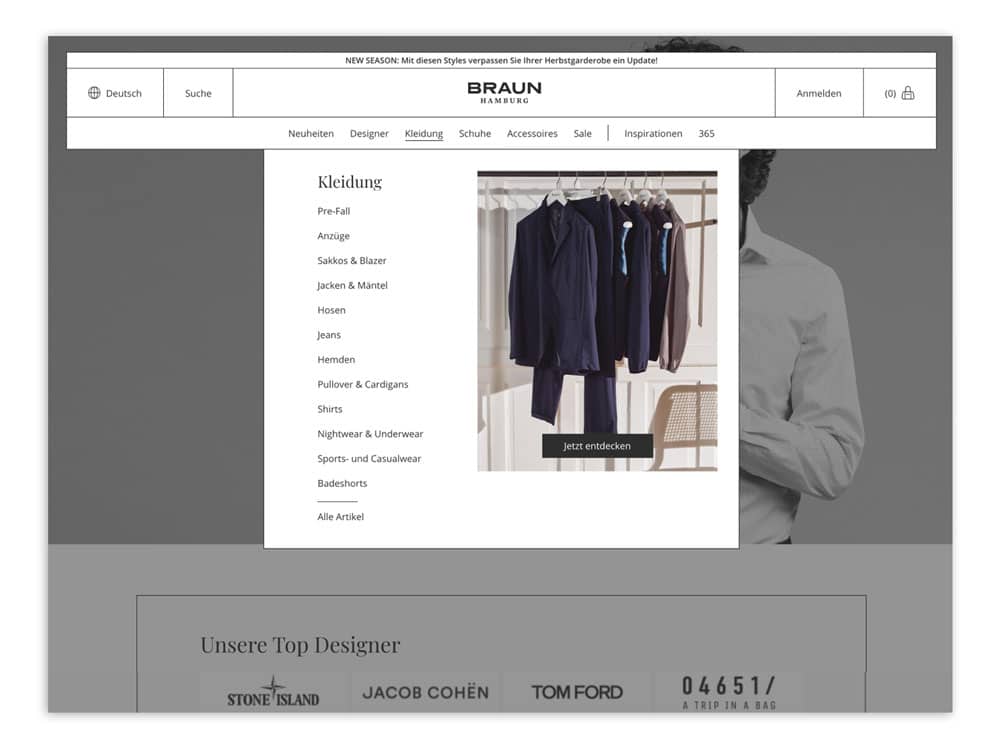
  • Navigation structure: When a visitor comes to your shop, they want to quickly get an overview of the products or find a suitable product for themselves. To enable them to do this, the categorization must be clear (ideally less than seven navigation points). With a well-thought-out level structure, you also help your user with intuitive guidance and keep them in your shop.

BRAUN HAMBURG's navigation structure provides a good overview of important categories. (Source: Screenshot from braun-hamburg.com)

  • Home: The home page is often the first thing customers see in your shop. That's why it's important to offer them initial links to your product portfolio right here. Call-to-actions (CTAs) allow you to highlight relevant categories directly, offering customers entry points to other pages in your shop. But be careful—too much information can overwhelm the user! To avoid this, a large-scale stage teaser can help. This ensures clarity and can present promotions, products, collaborations, or individual sales measures at a glance.

Stay up to date on personalization: Sign up for the epoq newsletter. Register now!


  • Links: Links ensure that customers can quickly reach their desired destination in the form of CTAs, text links, image content, or icons without having to click through the navigation in the online shop.
  • Search and filters: The search function is extremely important when it comes to user guidance and customer navigation in online shops. If customers cannot find what they are looking for quickly, they become frustrated and leave the online shop. Autosuggest, error tolerance, and semantics help to prevent this. Additional filters help customers find relevant products in a wide range of products.

The following examples show how this can look in practice:

Navigation in the mobilezone online shop – Different ways to find a product

Mobilezone operates an online store for telecommunications. Its product range includes smartphones, accessories, and suitable contracts and subscriptions. This example shows how Mobilezone guides its customers to the right product through effective navigation in its online store, thereby creating a positive shopping experience.

Three ways to access the product detail page

There are many ways for a customer to arrive at a product detail page (PDP). This can happen directly via a search engine, for example. But there are also various ways to navigate to the product within the store itself. Here are three ways in which mobilezone makes it easier for its customers to find the PDP of a relevant product.

1. Home page with product recommendations

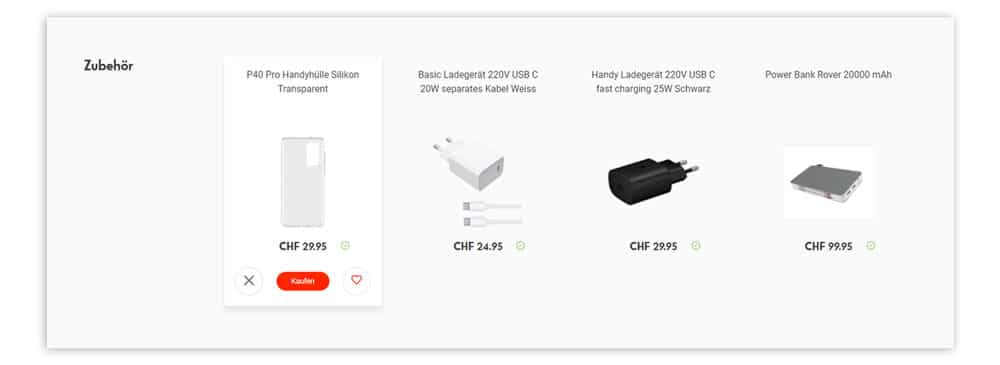
The home page offers the first opportunity to navigate to a product detail page. Thanks to personalized recommendation widgets, mobilezone is able to present customers with relevant products right on the home page. Users who like to buy products from a particular brand are shown suggestions for products from that brand and similar or compatible brands. In the best case scenario, customers no longer have to search for the right product using the search function, but can go directly to their desired product with a single click from the home page.
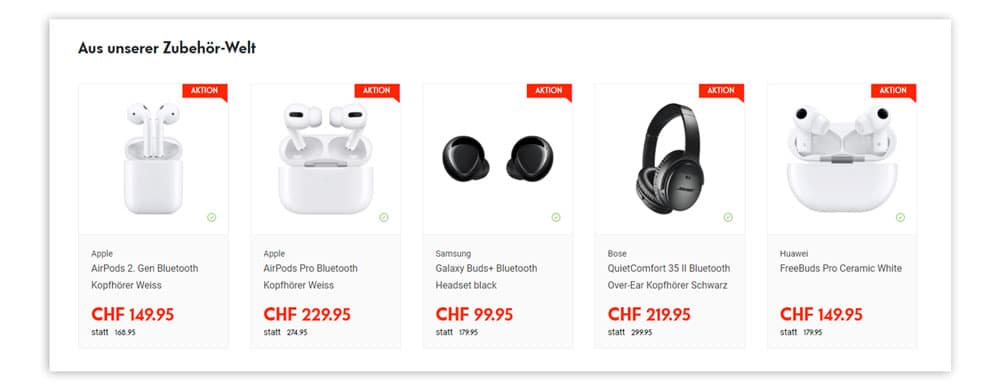
Mobilzone offers a selection of relevant articles directly on its homepage. (Source: Screenshot from mobilzone.ch)

2. Search with type-ahead and product suggestions

With its prominently placed search function, mobilezone offers its customers another way to access the desired product detail page.

You can also improve the user experience during the search. To help customers with further product research, mobilzone adjusts the tabs/buttons after a search has been performed so that they are tailored to the individual search.

You can also assist the user before they even start searching. By using an ecommerce search engine function, you can avoid zero-hit pages, for example. A type-ahead function, such as the one found in the mobilezone shop, shows the user suggestions for categories and a preview of possible products as soon as they start typing in the search field. When a shop visitor hovers their mouse over the suggested categories, these products adapt accordingly. Here, too, customers can find their desired product more easily and thus quickly start the shopping process.
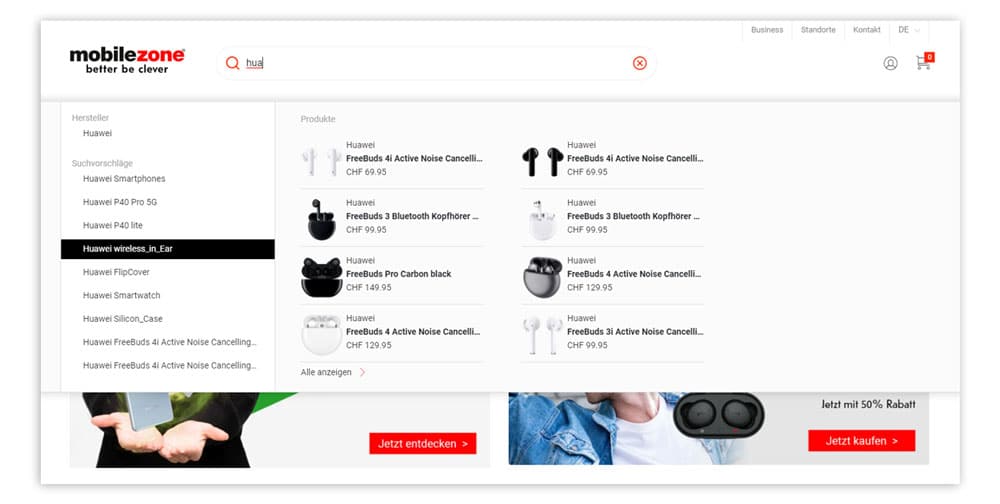
Thanks to relevant search suggestions and products from mobilzone, customers can find what they are looking for after typing just a few letters. (Source: Screenshot from mobilzone.ch)

3. Product listing pages

The third way to navigate to a product detail page is via product listing pages. These can be accessed either via the categories or by triggering a search.

When a listing is triggered by a search, products and categories that match the user's search are displayed. If the user is not convinced by the results, there is a risk that they will leave the shop. To prevent this, you can personalize the experience. This creates a positive experience and avoids unsatisfactory search and category results.

Mobilezone implements this in its shop and shows users personalized search and category results based on user behavior. This goes beyond mere product listings and also includes themed worlds or overview pages with services such as subscriptions.
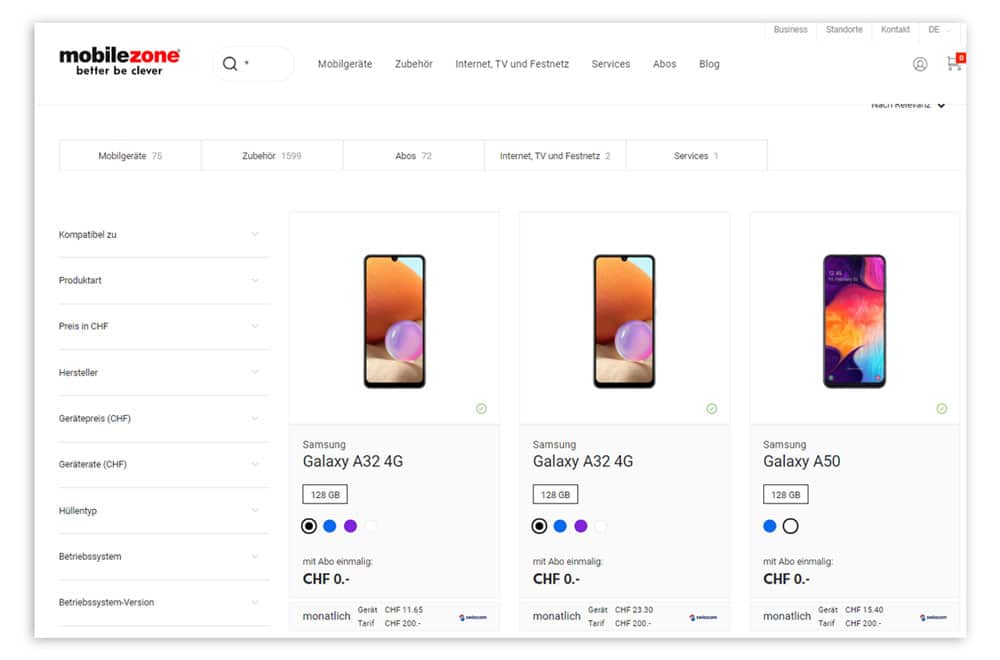
Products and categories are displayed based on the search term. (Source: Screenshot from mobilzone.ch)

Ultimately, all of these paths lead the user quickly and directly to the product detail page of their desired product. This proves that personalization and intelligent features help increase the conversion rate in your online shop.


Navigation in Streetbuzz shops – 5 steps from search to product detail page

Streetbuzz is a distribution company based in Germany that sells accessories for two-wheelers through various online shops, such as Scooter-Attack and Maxiscoot. Streetbuzz also uses various elements to help users navigate the shop successfully.

1. Search function

The autosuggest window gives customers a quick start to the shopping process. Suggestions are displayed at the product and category level, sorted by popularity among all customers. This allows customers to quickly dive into the product categories they are interested in. If visitors like a product that is very popular, they can go directly to the product detail page.


Stay up to date on personalization: Sign up for the epoq newsletter. Register now!


2. Search results list

The products in the results list, which is displayed to the user after a search has been triggered, are also sorted by popularity among all customers. Since customers are usually looking for a product for a specific vehicle, Streetbuzz offers customers the option of filtering the list by vehicle model with a single click. On top of that, the list is personalized 1:1 for the user. This means that their personal preferences are taken into account. This makes it possible to always display relevant results, even with a very wide and deep product range, and avoid frustration for the customer.

3. Filter navigation

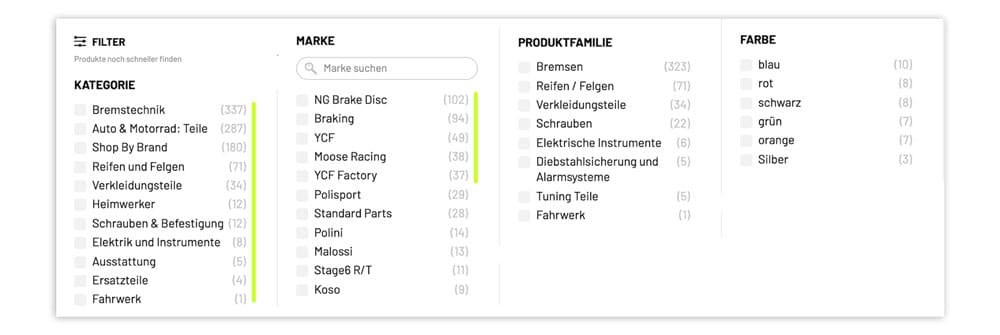
When there is a large selection of products, filter navigation is crucial. This is because it offers customers the option of narrowing down the products. Depending on the category, Streetbuzz displays different filter options. By only showing relevant options, Streetbuzz prevents customers from being overwhelmed by too many or unnecessary options. For example, if they are searching for "cylinders," the color is irrelevant. However, this changes for a user who is searching for body parts for their vehicle.

Streetbuzz offers customers a quick way to narrow down their search using appropriate filters. (Source: Screenshot from scooter-attack.com)

4. Alternative product recommendations

Once the customer has landed on a product detail page, the first step has been taken. However, this does not necessarily mean that they have found the product they are looking for. It is important that the customer can continue their journey through the store with relevant recommendations and find an (even better) suitable product.

Streetbuzz displays recommendations on the PDP that are compatible with the respective vehicle model. In addition, alternatives are displayed, offering customers the opportunity to compare their selection.

5. Shopping cart layer

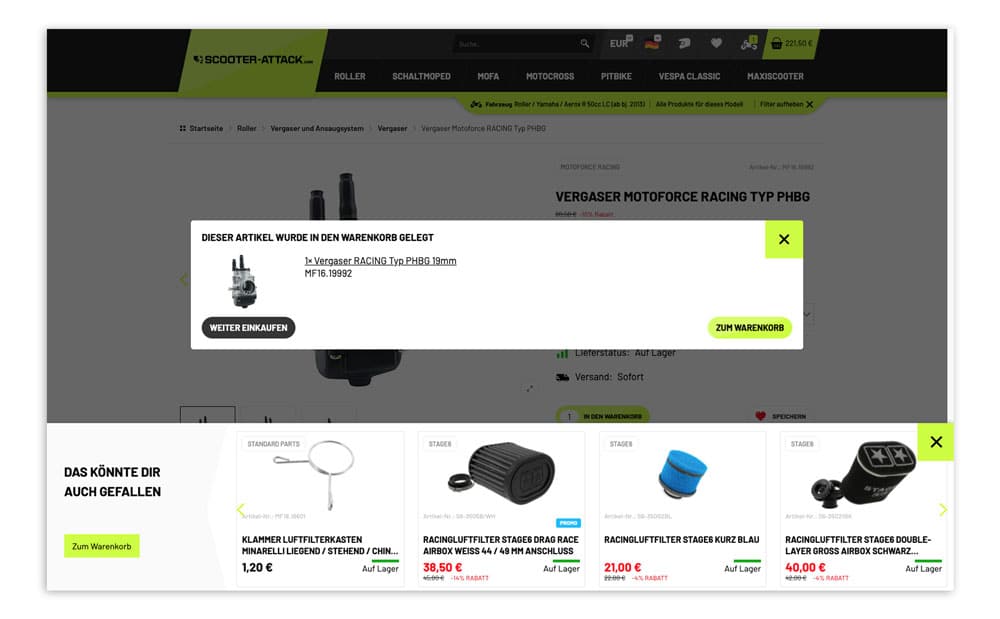
Once the customer has decided on a product, there are also options in the shopping cart layer to improve the customer's navigation. At Streetbuzz, the pop-up"You may also like"displays additional products that complement the product placed in the shopping cart and are therefore relevant to the shop customer —naturally, the vehicle model is also taken into account here. This allows the shopping cart value to be increased through cross-selling and, on top of that, offers the customer a positive shopping experience.

Streetbuzz shows customers suggestions for products that go well with the items in their shopping cart. (Source: Screenshot from scooter-attack.com)

The example of Streetbuzz clearly shows that the more personalized the individual steps are, the shorter the path to the product detail page and the lower the risk of bounce.

Conclusion: Proper navigation in the online shop leads to a positive user experience.

Customers are often confused by misleading navigation in online shops, which leads to them leaving the site in frustration. With well-designed user guidance and the right navigation, you can increase your conversions and significantly speed up the customer's shopping process in just a few steps. One-to-one personalized navigation in your online store also opens up new opportunities to create a win-win situation for you and your customers. Practical examples show that if you invest enough time, you can ensure a more positive user experience for your store visitors.

Source: ¹ HubSpot

Presentation at the Personalization Experience Day 2021

As part of PXD 2021 (Personalization Experience Day), the following experts were guests at the "Lead to the Checkout" webinar and reported on the design of intuitive and personalized user guidance. From left:Artur Wagner (Head of Key Accounts at Y1 Digital AG), Marco Deiss (Head of Business Solutions at mobilezone), and Philipp Lorentz (Director of Sales at Streetbuzz Distribution).

Would you like to learn more about the ecommerce search engine function?

Check out our video clip!

Jonathan Hermann
Working student in marketing
Joni gained experience in personalization as a working student in marketing. His responsibilities included content creation, e.g., for our blog or our social media channels. He also took care of maintaining the English website. In addition to his work at Epoq, Joni studied marketing communication and advertising.